

Auto-share new posts, pages and products
Auto-share turns every new article or product into social posts without extra work. Open WPBot Pro → Social → Settings → Publishing.
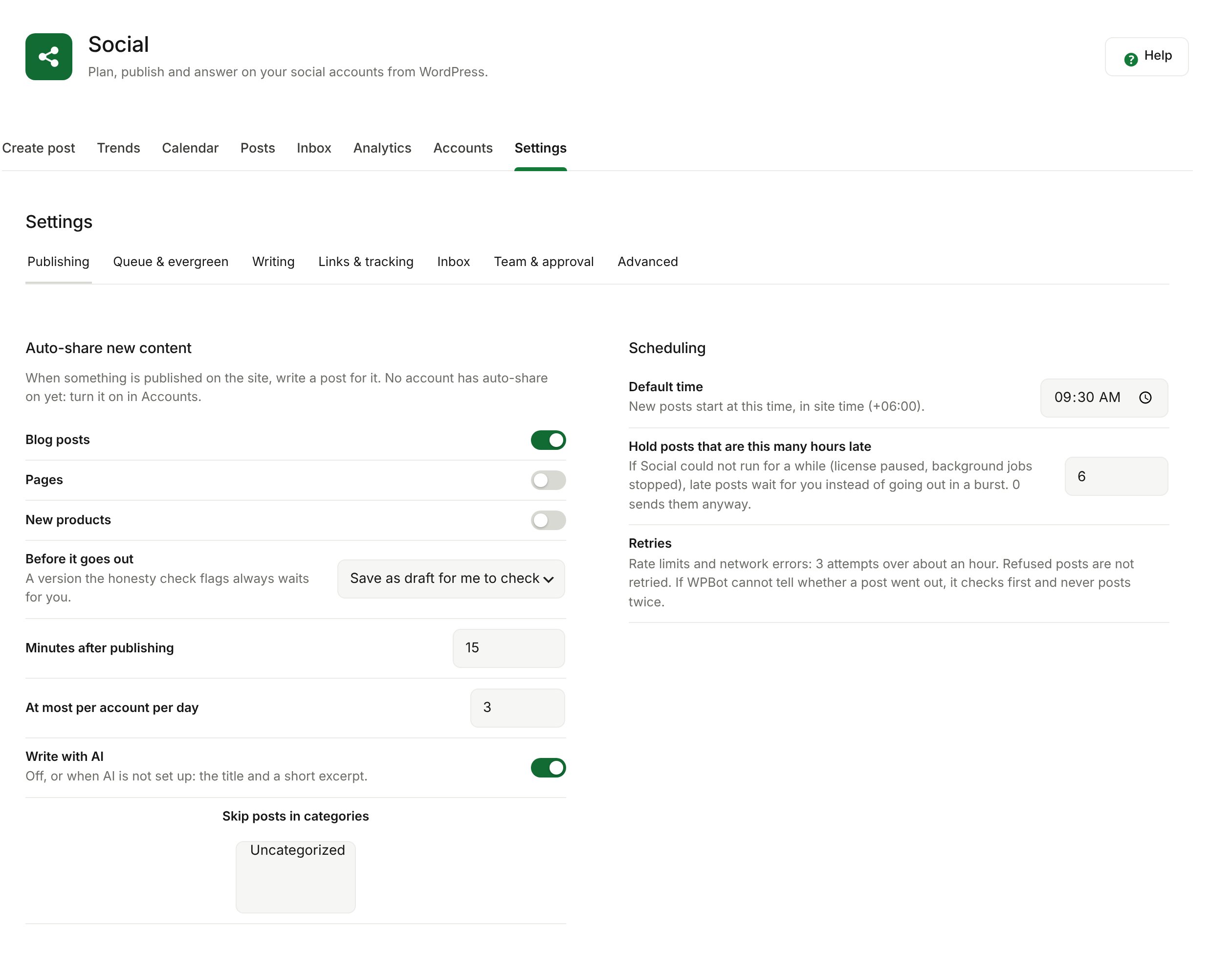
Auto-share new content in Settings, Publishing.
Set it up
- Under Auto-share new content, tick what to share: Blog posts, Pages and, with WooCommerce, New products.
- Turn on Auto-share new posts for each account in Accounts. Until you do, the screen says no account has auto-share on yet.
- Choose Before it goes out:
- Save as draft for me to check: the post waits in Posts → Drafts.
- Schedule it automatically: it goes out Minutes after publishing.
- Set At most per account per day, so a day with many new posts does not flood your followers.
- Write auto-shares with AI: WPBot writes a version for each network. Off, or when AI is not set up, the post uses the title and a short excerpt.
- Skip posts in categories: categories that are never shared.
A version the honesty check flags always waits for you, even with Schedule it automatically.
What is shared
- Each item is shared once, on its first publish.
- Password-protected and private items are never shared.
- The writing runs in the background, so publishing on your site is never slowed down.
Sharing from AI Writer
AI Writer can write the social versions of an article and Send to Social. Each piece becomes a Social draft with the suggested time kept, but not scheduled; open it from Posts and schedule it. AI Writer also knows the networks only Social has, such as Threads, Telegram and WhatsApp.
Tip
Start with Save as draft for me to check for a week. When you trust the results, switch to Schedule it automatically and keep the daily limit low.
Availability
Auto-share is in every edition, including WPBot Free.
Was this article helpful?
Sorry about that. Get help another way:











