

Connect TikTok
On this page
TikTok connects through your own TikTok app. Posts go to your TikTok inbox as drafts; you finish and post them in the TikTok app. Open WPBot Pro → Social → Accounts and click Connect on the TikTok card.
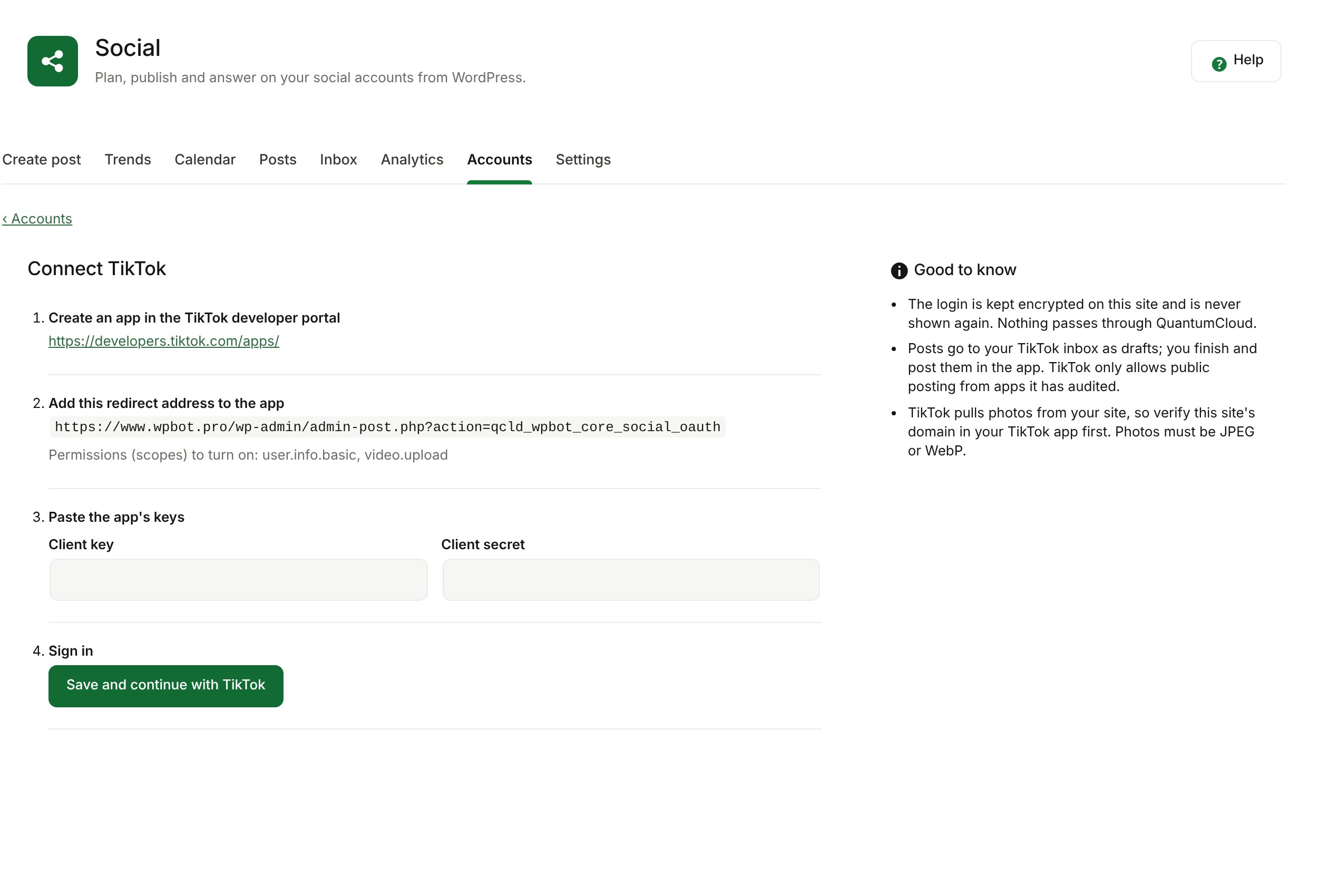
Connect TikTok with your own TikTok app.
Steps
- Create an app in the TikTok developer portal (developers.tiktok.com/apps).
- Add the redirect address shown on the screen to the app.
- Turn on these permissions (scopes):
user.info.basic,video.upload. - Verify your site's domain in the TikTok app. TikTok pulls photos from your site.
- Paste the app's keys: Client key and Client secret.
- Click Save and continue with TikTok and sign in.
Good to know
- TikTok only allows public posting from apps it has audited, which is why posts arrive as drafts.
- Photos must be JPEG or WebP. For video, add a vertical MP4 of up to 3 minutes in Create post.
- No video yet? Choose Short video script under Post yourself: WPBot writes the script and you record it.
- TikTok gives WPBot no post numbers, so Analytics shows "—" for reach.
Availability
Master only.
Was this article helpful?
Sorry about that. Get help another way:











