

Deactivate or uninstall WPBot, and what happens to your data
On this page
Deactivate
Deactivating WPBot Pro (Plugins → Deactivate) stops the chatbot and every WPBot tool, but keeps all settings and data. Activate it again and everything is back.
Note
If WPBot Free is still active, it takes over the free features when WPBot Pro is deactivated, and the chatbot keeps working at the free level.
Delete
Deleting the plugin (Plugins → Delete) removes its files. Your data is kept unless you chose otherwise:
| Data | Deleted when |
|---|---|
| Chatbot data: conversations, questions not answered, answer cache, change log, chatbot AI settings | Delete chatbot data when the plugin is deleted is on (AI / Settings → Chatbot data) and no other WPBot plugin is installed |
| WPBot Pro's own settings, and WPBot Core's data: AI keys, knowledge base, background jobs, error log | The same switch is on and no other WPBot plugin is installed |
| AI Writer data | Its own "Delete AI Writer data" setting is on and no other WPBot plugin uses it |
| Social data | Its own "Delete Social data" setting is on |
| Site Insight recordings and data | Its own "Delete all Site Insight data when the plugin is deleted" setting is on and no other plugin uses it |
| Your posts, pages, products and Help Center articles | Never deleted |
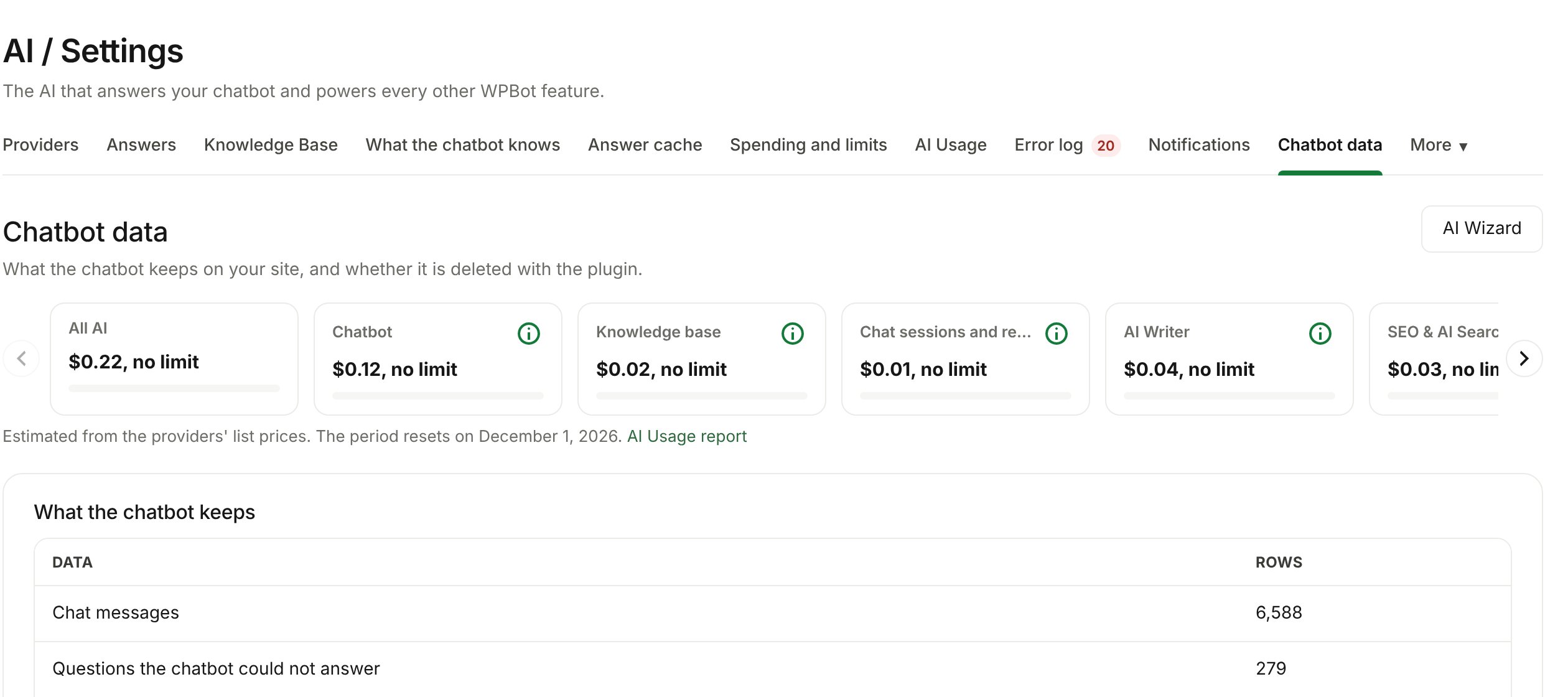
AI / Settings → Chatbot data shows what is kept and has the delete switch.
Why "no other WPBot plugin": WPBot Free and WPBot Pro share the same data. As long as either one is installed, the data stays, so deleting one of them never breaks the other.
To remove everything
- Turn on AI / Settings → Chatbot data → Delete chatbot data when the plugin is deleted, and the delete settings of AI Writer, Social and Site Insight.
- Deactivate and delete WPBot Pro.
- Deactivate and delete WPBot Free. Its deletion removes the shared data.
Warning
Deleting data cannot be undone. Export what you need first (for example chat sessions or AI Marketing contacts) and deactivate your license so you can use it elsewhere.
See also Chatbot data and privacy.
Availability
The same rules apply in every edition. The Site Insight, Social and AI Writer switches appear only where those tools are included.
Was this article helpful?
Sorry about that. Get help another way:











