

Notification emails and digests
Open WPBot Pro → AI / Settings → Notifications. This is where WPBot sends its emails to you: new leads and messages, live chat, support tickets, reports and alerts.
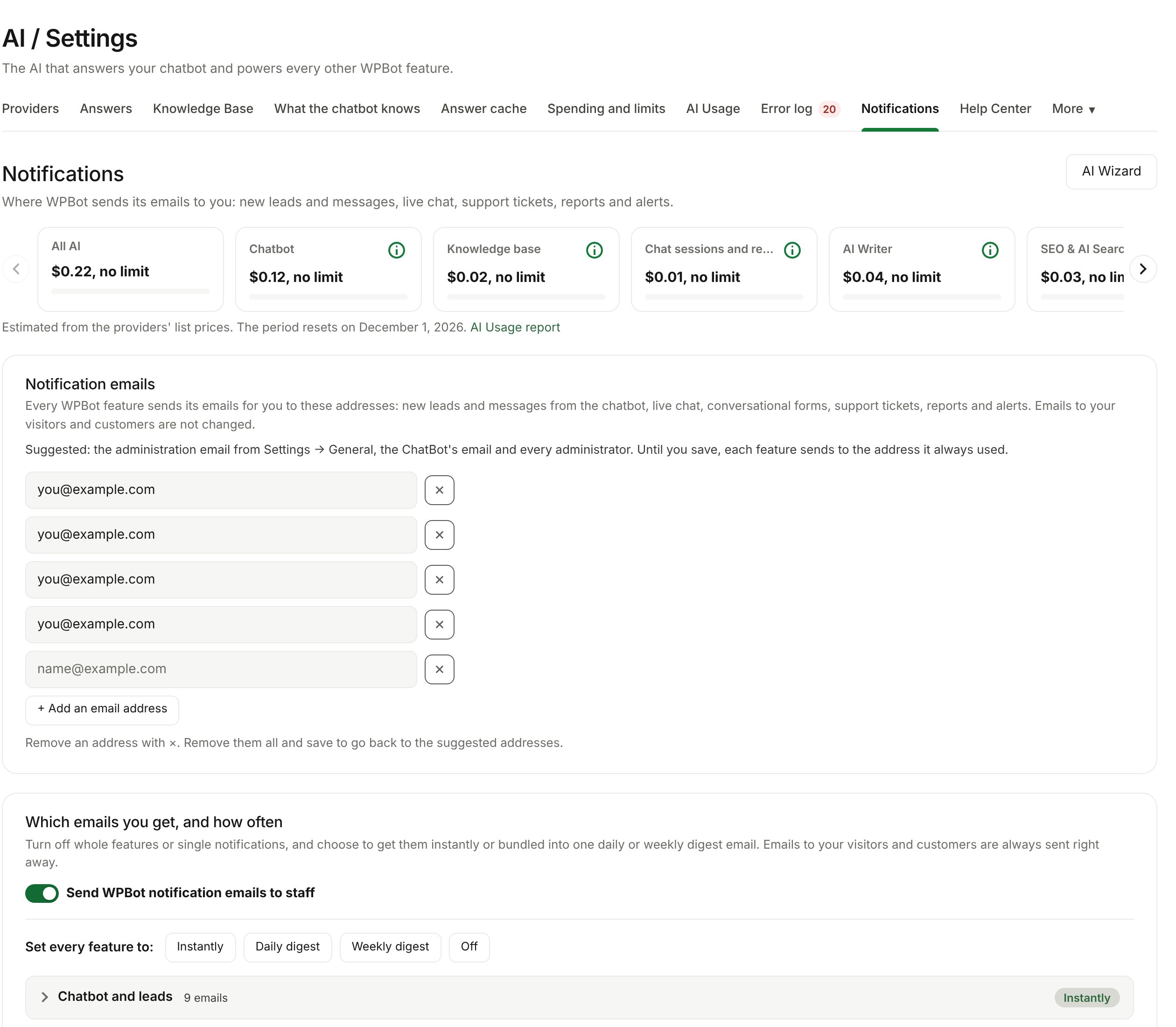
Notification addresses, and which emails you get.
Notification emails
Every WPBot feature sends its emails for you to these addresses. Emails to your visitors and customers are not changed.
- Suggested: the administration email from Settings → General, the ChatBot's email and every administrator. Until you save, each feature sends to the address it always used.
- + Add an email address adds another recipient. Remove one with ×.
- Remove them all and save to go back to the suggested addresses.
Which emails you get, and how often
- Send WPBot notification emails to staff: the main switch.
- Set every feature to: Instantly, Daily digest, Weekly digest or Off, in one click.
- Each feature group can be set on its own, and opened to switch single emails on or off, or give them their own timing (Same as the group, Instantly, Daily digest, Weekly digest).
The groups in Master: Chatbot and leads, Chat sessions and reports, Live chat (always on), Conversational forms, Support tickets, Store (WooCommerce), AI usage and spending, AI Marketing, Social, SEO AI Search, AI Writer, Site Insight, and Automations and other emails.
Digests are sent by WordPress's scheduler: daily around 08:00 and weekly on Mondays (site time), one email per recipient. Attachments are not included in digests. Emails to your visitors and customers are always sent right away.
Recommended setup
| Timing | Why | |
|---|---|---|
| New leads, callback requests, hot leads from AI Marketing | Instantly | Fast replies win sales |
| Live chat, new support tickets | Instantly | Customers are waiting |
| Chat session reports, AI Insight | Daily digest | Read with your morning coffee |
| SEO, Social, AI Writer, Site Insight | Weekly digest | Fits the weekly routine |
| AI spending alerts | Instantly | Avoid surprises |
Tip
If emails do not arrive, use an SMTP plugin or email service. WPBot records emails it could not send in the error log.
Availability
Notifications are in every edition, including WPBot Free. The groups listed depend on the tools and modules your edition includes.
Was this article helpful?
Sorry about that. Get help another way:











