

Find the right recordings with filters
Open Site Insight → Recordings. At the top you see Recordings, last 24 hours, Recordings, last 7 days, Average recording length and Storage used.
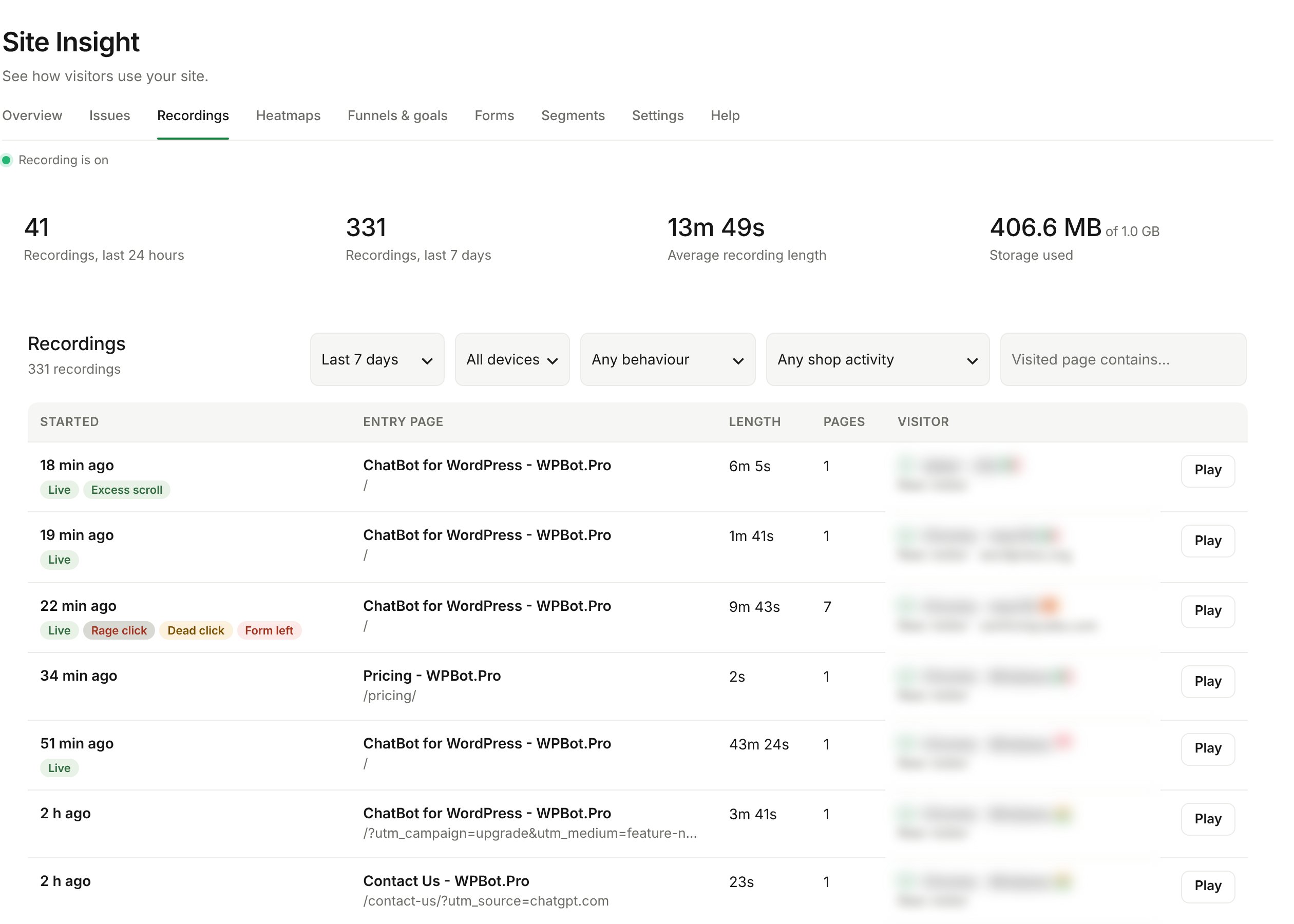
The Recordings list with its filters. Visitor details are blurred here.
The list
| Column | What it shows |
|---|---|
| Started | When the visit began, with badges: Live (still going on), Saved, and one badge per frustration signal, such as Rage click, Dead click or Form left |
| Entry page | The first page of the visit |
| Length | How long the visit lasted |
| Pages | Pages viewed |
| Visitor | Browser and system, New visitor or Returning, and the site they came from |
Click a row or Play to watch it. See Watch a recording and get an AI summary.
Filters
| Filter | Choices |
|---|---|
| Date range | Last 24 hours, Last 7 days, Last 30 days, Last 90 days, All time |
| Device | All devices, Desktop, Tablet, Mobile |
| Frustration | Any behaviour, With any frustration, or one signal: Rage clicks, Dead clicks, Quick backs, JavaScript errors, Excessive scrolling, Form abandonment |
| Shop (WooCommerce) | Any shop activity, Left items in the cart, Started checkout, no order, Placed an order |
| Visited page contains | Part of an address, for example /pricing |
| Tag | Recordings you or your team tagged (see Notes, tags and shared links for recordings) |
| Segment | A saved group of visits (see Segments and plain-language search) |
The Watch links on the Overview, Issues, Funnels and Forms screens open this list with the right filter already applied, for example "left after step 2" of a funnel.
Tip
With plain-language search turned on, a search box above the list turns a question such as "mobile visitors from Google who left the checkout" into filters. See Segments and plain-language search.
Which recordings to watch first
- With any frustration on your most important page (use Visited page contains).
- Started checkout, no order: what stopped them?
- Mobile visits to your landing pages: layouts break most often on small screens.
- Long visits with many pages but no conversion: visitors who were interested but did not find what they needed.
If a frustration count on the Overview is higher than the number of recordings here, that is expected: frustration is counted from every tracked visit, but only recorded visits can be replayed.
Availability
The Recordings list with the date, device, frustration (four core signals) and page filters is in every edition, including WPBot Free. The Shop, Tag and segment filters, the Excessive scrolling and Form abandonment signals and plain-language search need Site Insight Pro (Professional or Master).
Was this article helpful?
Sorry about that. Get help another way:











