

The AI Marketing Dashboard
Open WPBot Pro → AI Marketing → Dashboard.
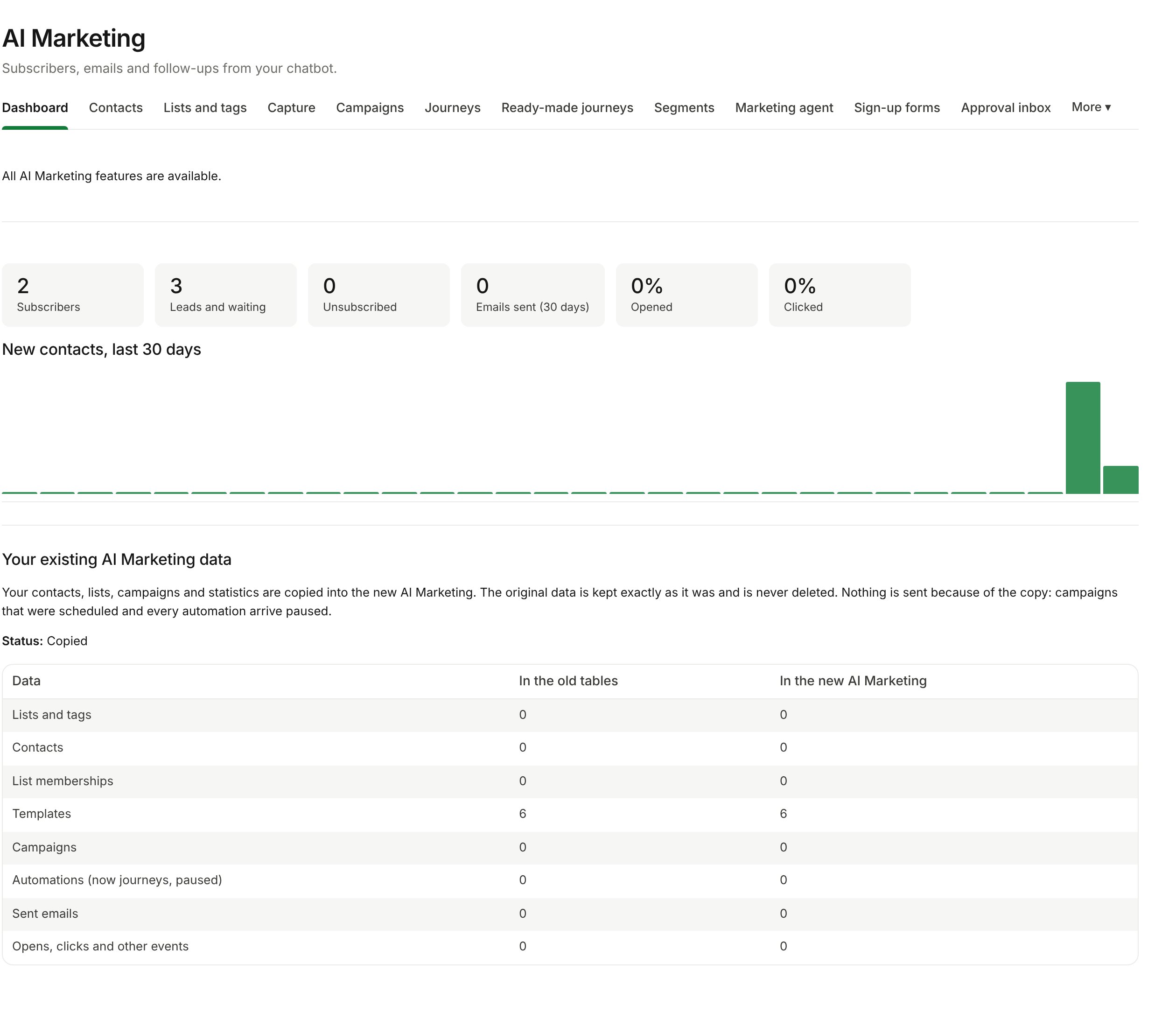
The Dashboard with this month's numbers and the copy of your earlier data.
The numbers
| Tile | What it counts |
|---|---|
| Subscribers | Contacts who agreed to receive marketing email |
| Leads and waiting | Leads (they left an address to be contacted) and people waiting to confirm a double opt-in |
| Unsubscribed | People who opted out |
| Emails sent (30 days) | Emails sent in the last 30 days |
| Opened / Clicked | The share of those emails that were opened or clicked |
New contacts, last 30 days shows new contacts per day. Recent campaigns lists your latest campaigns with Sent, Opened and Clicked.
Note
With Master, opens from privacy proxies and security scanners are not counted, so "opened" means people. See Autopilot: one-click setup, modes, guardrails and the kill switch.
Your existing AI Marketing data
If you used the earlier AI Marketing module, your contacts, lists, campaigns and statistics are copied into the new AI Marketing. The table compares In the old tables with In the new AI Marketing.
- The original data is kept exactly as it was and is never deleted.
- Nothing is sent because of the copy: campaigns that were scheduled and every automation arrive paused. Review each journey and switch it on again.
- Contacts with the same email are merged, and anyone who unsubscribed in either place stays unsubscribed.
- Old links in emails you sent earlier keep working.
Availability
In every edition, including WPBot Free. In Starter, Professional and WPBot Free the Dashboard says AI Marketing Essentials. The autopilot features come with WPBot Pro Master.
Was this article helpful?
Sorry about that. Get help another way:











