

AI Actions: let the chatbot qualify leads and collect details
On this page
An AI Action is a conversation the AI leads to reach a goal: qualify a lead, take a booking request, gather the details for a quote, screen a job applicant. You describe in plain words what to ask; the AI asks one question at a time, understands free-form answers, and when it has everything, emails you the details, sends them to a webhook and gives the visitor a useful reply.
Open WPBot Pro → ChatBot → AI Actions.
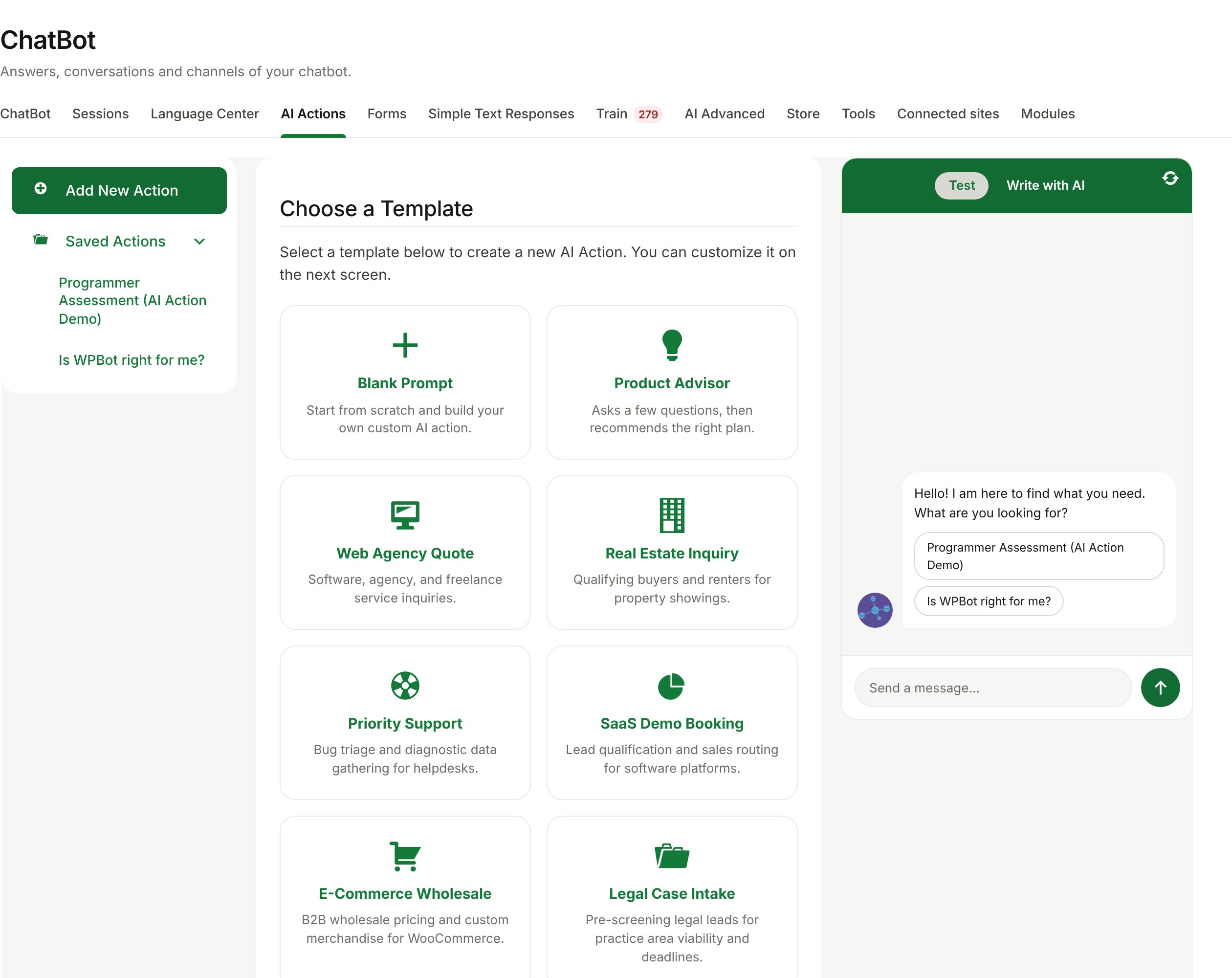
AI Actions: saved actions and templates.
Why use AI Actions
- Conversations instead of forms. Visitors answer in their own words; the AI follows up when an answer is unclear.
- A useful reply at the end. With Reply when done, the AI can recommend a plan, a product or a next step based on the answers, which turns a lead form into advice.
- Leads where you work. Every completed action is emailed to you and can go to Zapier, Make or your CRM through a webhook.
Templates
Add New Action shows Choose a Template. Each template comes with a ready prompt you can change:
| Template | For |
|---|---|
| Blank Prompt | Start from scratch. |
| Product Advisor | Asks a few questions, then recommends the right plan. |
| Web Agency Quote | Software, agency and freelance service inquiries. |
| Real Estate Inquiry | Qualifying buyers and renters for property showings. |
| Priority Support | Bug triage and diagnostic data gathering for helpdesks. |
| SaaS Demo Booking | Lead qualification and sales routing for software platforms. |
| E-Commerce Wholesale | B2B wholesale pricing and custom merchandise for WooCommerce. |
| Legal Case Intake | Pre-screening legal leads for practice area and deadlines. |
| Healthcare Booking | Clinic patient scheduling, primary symptoms and insurance check. |
| Event Planning | Event venue, banquet and catering inquiries. |
| Auto Dealership | Test-drive bookings and vehicle trade-in estimates. |
| Education Admissions | Online course and bootcamp enrollment qualification. |
| Senior PHP Programmer Assessment | Screening candidates for a developer position. |
Or describe what you want and let Write with AI draft the whole action. See Create, test and improve an AI Action.
How visitors get into an action
- The start menu: add the action from the AI Actions group on the Items tab (Build the start menu).
- A Chat Icon Message or a Click to Chat button set to the action (Chat Icon Messages: invite visitors to chat, Embed the chatbot and add Click to Chat buttons).
- The AI itself: when a visitor's question matches what an action is for ("I'd like a quote"), the AI can start it.
AI Actions in the Growth Loop
AI Actions are the lead capture of the Convert step. Follow up each lead quickly, from the email or from your CRM through the webhook. The answers also show what visitors want and in which words, which feeds Learn and Create: use them for your next article and your next offer (The Growth Loop: how WPBot's tools work together).
Availability
In every edition, including WPBot Free. AI Actions need a connected AI provider. Steps that call your own REST API or a WordPress function need Takes action on AI Advanced (Professional and Master; see AI Advanced: chatbot skills and connections to your API).
Was this article helpful?
Sorry about that. Get help another way:











