

Competitors: your list, their keywords and their topics
On this page
Your competitors already show which searches and topics your customers care about. SEO & AI Search uses only keywords, volumes, positions, titles and headings: never their content.
Your competitor list
Open WPBot Pro → SEO & AI Search → Settings & AI Provider → Competitors. One list for every competitor field: Competitor gap research, link prospects (competitors are left out) and AI Writer. Up to 20 sites.
- Type a site under ADD A COMPETITOR and click Add.
- Suggest competitors lets the AI suggest some. You tell it what you compete on; each suggested site is checked first.
- In Pro, a Monthly check for new competitors looks for new competitors and checks each site. It never changes your list: you choose (Add the ticked sites to my competitors).
Competitor gap research
Keywords & Topics → Research → Competitor gap compares your site with up to five competitor domains: keywords and topics they cover and you don't, the ones you share, your advantages and an action plan. See Keyword research: keywords, niches and competitor gaps.
Competitor keywords (Pro)
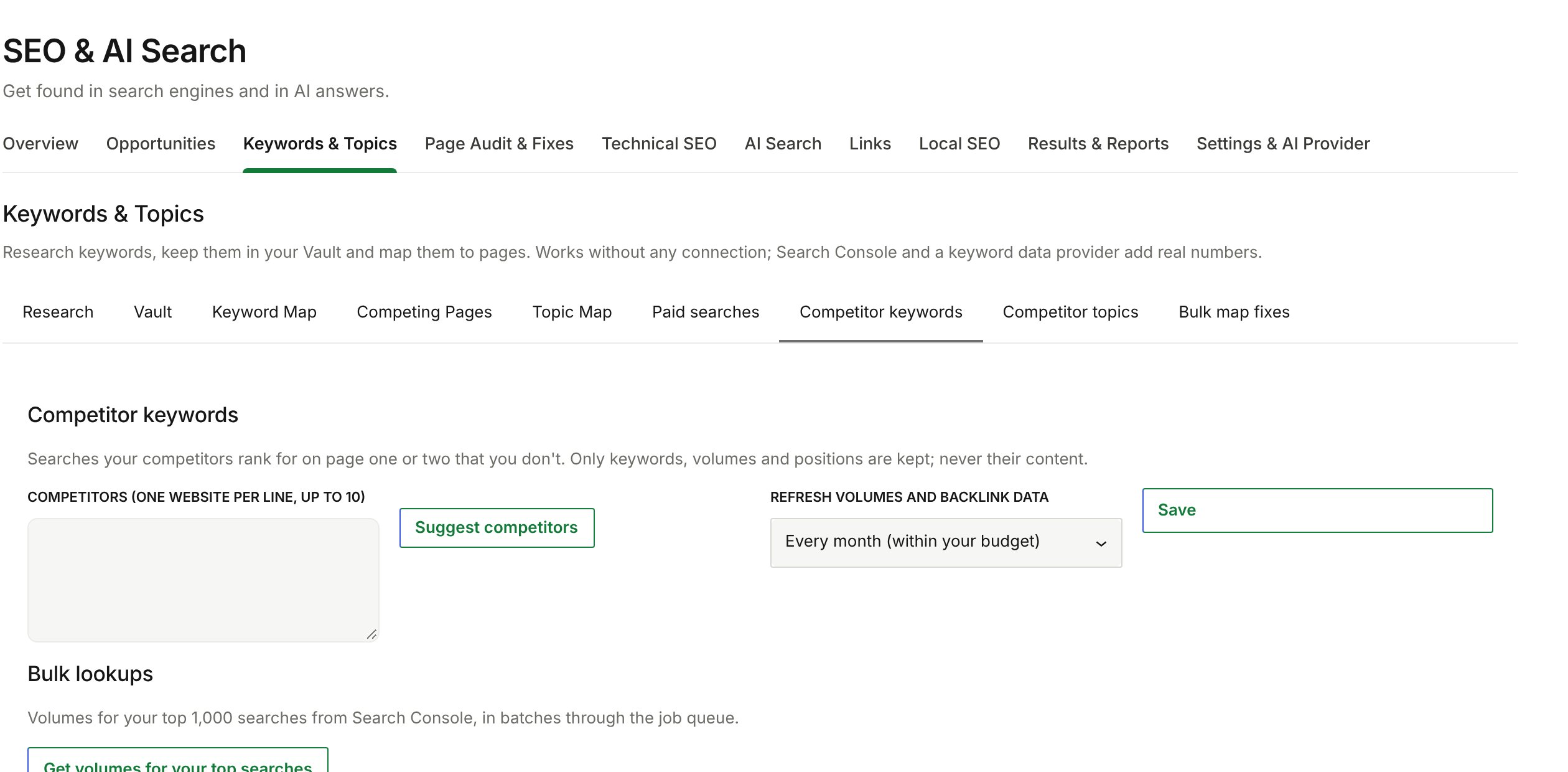
Competitor keywords.
Open Keywords & Topics → Competitor keywords. Searches your competitors rank for on page one or two that you don't.
- Enter COMPETITORS (ONE WEBSITE PER LINE, UP TO 10), or click Suggest competitors.
- Choose REFRESH VOLUMES AND BACKLINK DATA: Every month (within your budget) or Only when I click.
- Click Find keyword gaps. Each result shows the search, searches a month and the competitor's position against yours. Add to Topic Finder or Write a page.
Bulk lookups → Get volumes for your top searches gets volumes for your top 1,000 searches from Search Console, in batches through the job queue.
Competitor keywords need a keyword data provider.
Competitor topics (Pro)
Keywords & Topics → Competitor topics shows how many competitors you watch in AI Writer, how many topics they cover and how many of those you cover. Each Topic you don't cover yet lists the competitor pages, with Write about it. Topic gaps come from AI Writer's Competitor Watch: add your competitors there. See Competitor Watch: what your competitors publish, rank for and advertise.
Who ranks for a search: type a SEARCH and click Look up (AI with web search).
Competitor link gaps (Pro)
Links → Backlink data → Find link gaps lists sites that link to your competitors but not to you. Add the good ones as prospects. See Links: monitor, earn and keep links from other sites.
Availability
The shared competitor list, Suggest competitors and Competitor gap research are in every edition, including WPBot Free. Competitor keywords, bulk lookups, competitor topics, competitor link gaps and the monthly check for new competitors are SEO & AI Search Pro (Professional and Master). Competitor topics also need AI Writer Pro's Competitor Watch.
Was this article helpful?
Sorry about that. Get help another way:











