

Keyword research: keywords, niches and competitor gaps
On this page
Open WPBot Pro → SEO & AI Search → Keywords & Topics → Research. Research works without any connection; Search Console and a keyword data provider add real numbers.
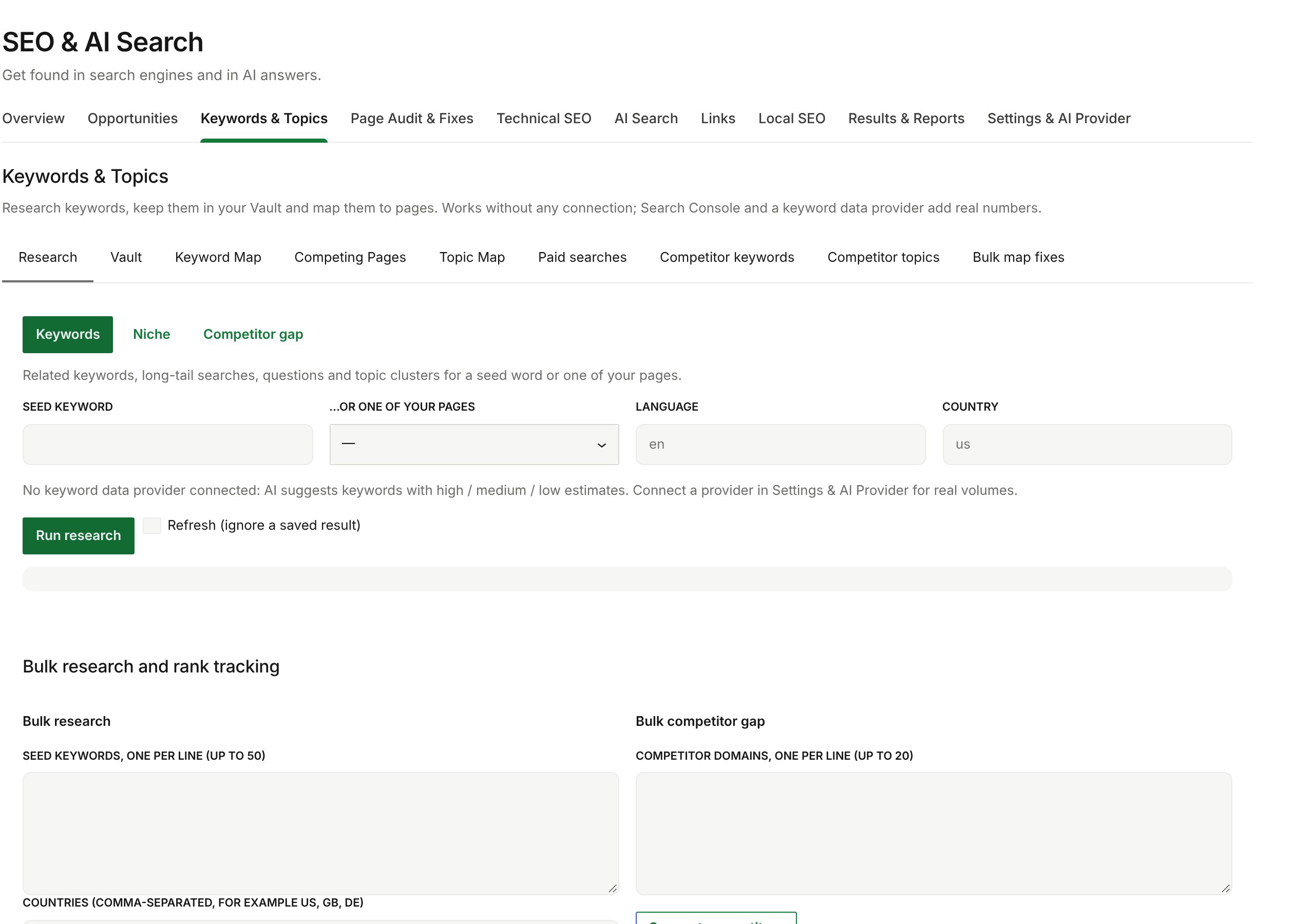
Keyword research for a seed keyword or one of your pages.
Three kinds of research
| Kind | What you get | You enter |
|---|---|---|
| Keywords | Related keywords, long-tail searches, questions and topic clusters for a seed word or one of your pages. | SEED KEYWORD or …OR ONE OF YOUR PAGES |
| Niche | An overview of a niche or industry: main subtopics, content gaps, a first cluster of pages to build and how sites in this niche earn money. | Niche or industry |
| Competitor gap | Keywords and topics your competitors cover and you don't, the ones you share, your advantages and an action plan. | Competitor domains (up to five, comma-separated) |
Set the LANGUAGE and COUNTRY, then click Run research.
Cost and saved results
Before a run you see the estimated cost with your AI provider (and your keyword data provider). Runs above your limit in Settings & AI Provider → Data & scans ("Ask me before a research run that costs more than") ask first. A saved result from the last 30 days opens at no cost (Open saved result (free)); tick Refresh (ignore a saved result) to run again. Research history lists earlier runs.
Results are better with an AI model that can search the web.
Read the results
Results are grouped as Related, Long-tail, Questions and Clusters. Each keyword shows its Intent (Informational, Commercial, Transactional, Navigational), Demand, Difficulty, the Page to build (guide, how-to, comparison, product page and so on), Your page if one already ranks, and Why.
Note
Without a keyword data provider, demand and difficulty are AI estimates (high, medium, low), not measured numbers. With one, keyword lists and rankings come from the provider (real numbers) and AI adds intent, clusters and reasons. Connect one in Settings & AI Provider → Connections. See SEO & AI Search settings.
Use the results
Tick keywords and choose:
- Save to Vault: keep them in the Keyword Vault to target and track. See The Keyword Vault and rank checks.
- Add to Topic Finder: add them as ideas in AI Writer.
- Write a page: opens AI Writer with the first selected keyword as the main search and the others as supporting searches.
Bulk research and rank tracking (Pro)
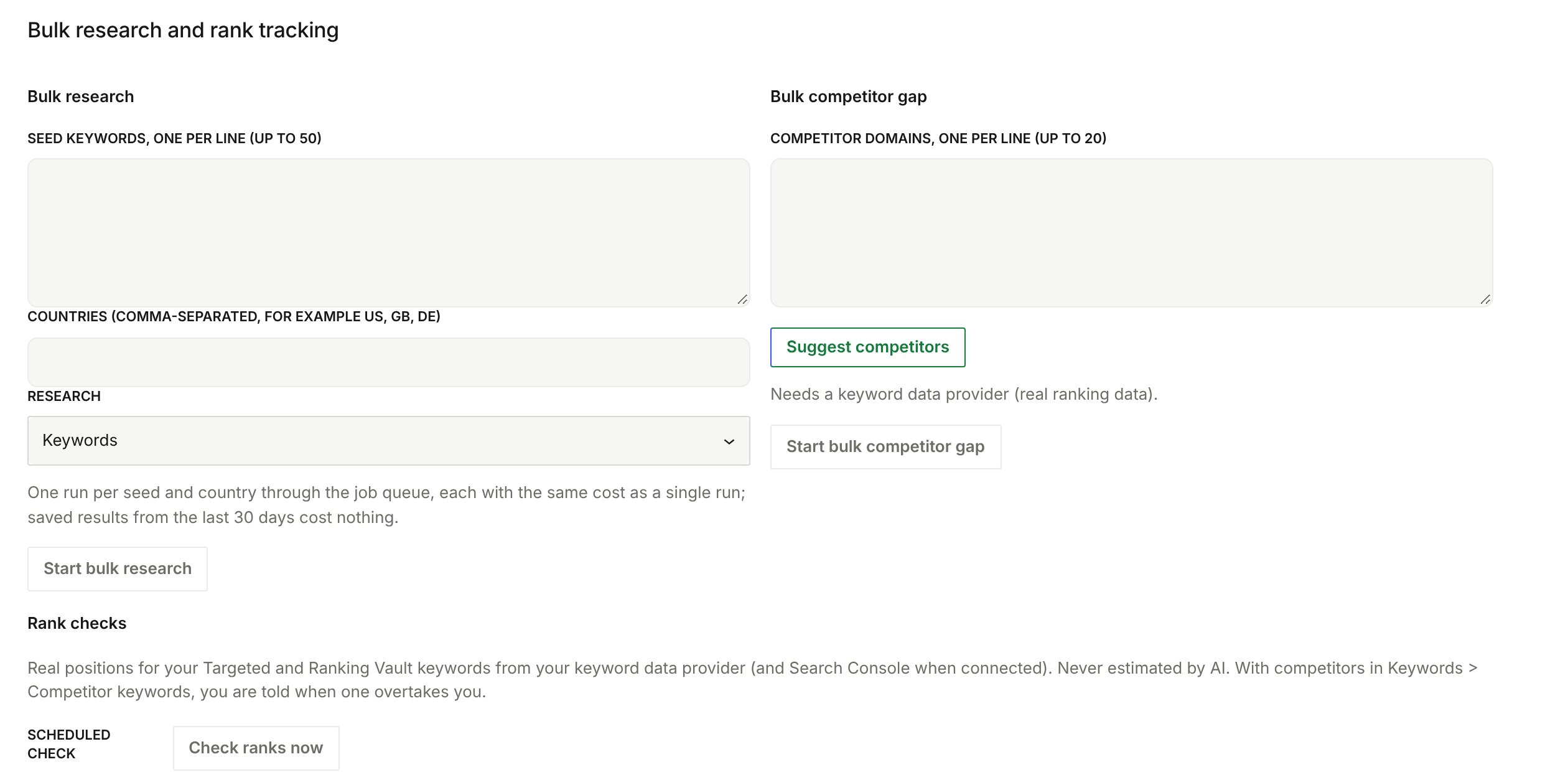
Bulk research, bulk competitor gap and rank checks.
- Bulk research: up to 50 seed keywords, one per line, in several COUNTRIES (for example US, GB, DE), as Keywords or Niche research. One run per seed and country through the job queue, each with the same cost as a single run; saved results from the last 30 days cost nothing. Click Start bulk research.
- Bulk competitor gap: up to 20 competitor domains, one per line, with real ranked keywords from your keyword data provider. Suggest competitors helps you find them. Needs a keyword data provider.
- Rank checks: see The Keyword Vault and rank checks.
Tips
- Research one of your best pages to find the questions and long-tail searches it should also answer.
- Questions make good FAQ sections and help articles, and assistants quote clear answers to them.
- Prefer keywords with clear Commercial or Transactional intent for product and service pages.
Availability
Keywords, Niche and Competitor gap research, saved results and research history are in every edition, including WPBot Free. Bulk research, several countries at once, bulk competitor gap and rank checks are SEO & AI Search Pro (Professional and Master).
Was this article helpful?
Sorry about that. Get help another way:











