

Turn chatbot questions into articles
The questions visitors type into your chatbot are the best topic list you will ever get: real people, in their own words, asking about what you sell. Every one you answer with a page brings more visitors from Google and AI search, and your chatbot learns the answer too. This is where the Convert and Create steps of the Growth Loop meet.
Answer one question
- Find the question: ChatBot → Train lists the questions your chatbot could not answer.
- In AI Writer, click Answer a question on the Overview.
- Type The visitor's question, for example "Do you deliver on weekends?". Choose the TYPE: FAQ page, Help article or Page section.
- Confirm the facts under Sources. Names, emails and phone numbers are removed before anything is sent to the AI.
- Write, check and publish as usual (see Write an article with AI Writer).
- In the editor, click Add to chatbot knowledge. The Chatbot knowledge panel shows "Answers the visitor question:" with the question, so you see the loop is closed.
Visitor questions from chats (Pro)
Instead of reading chats one by one, let AI Writer read all of them. Open Topic Finder and scroll to Visitor questions from chats.
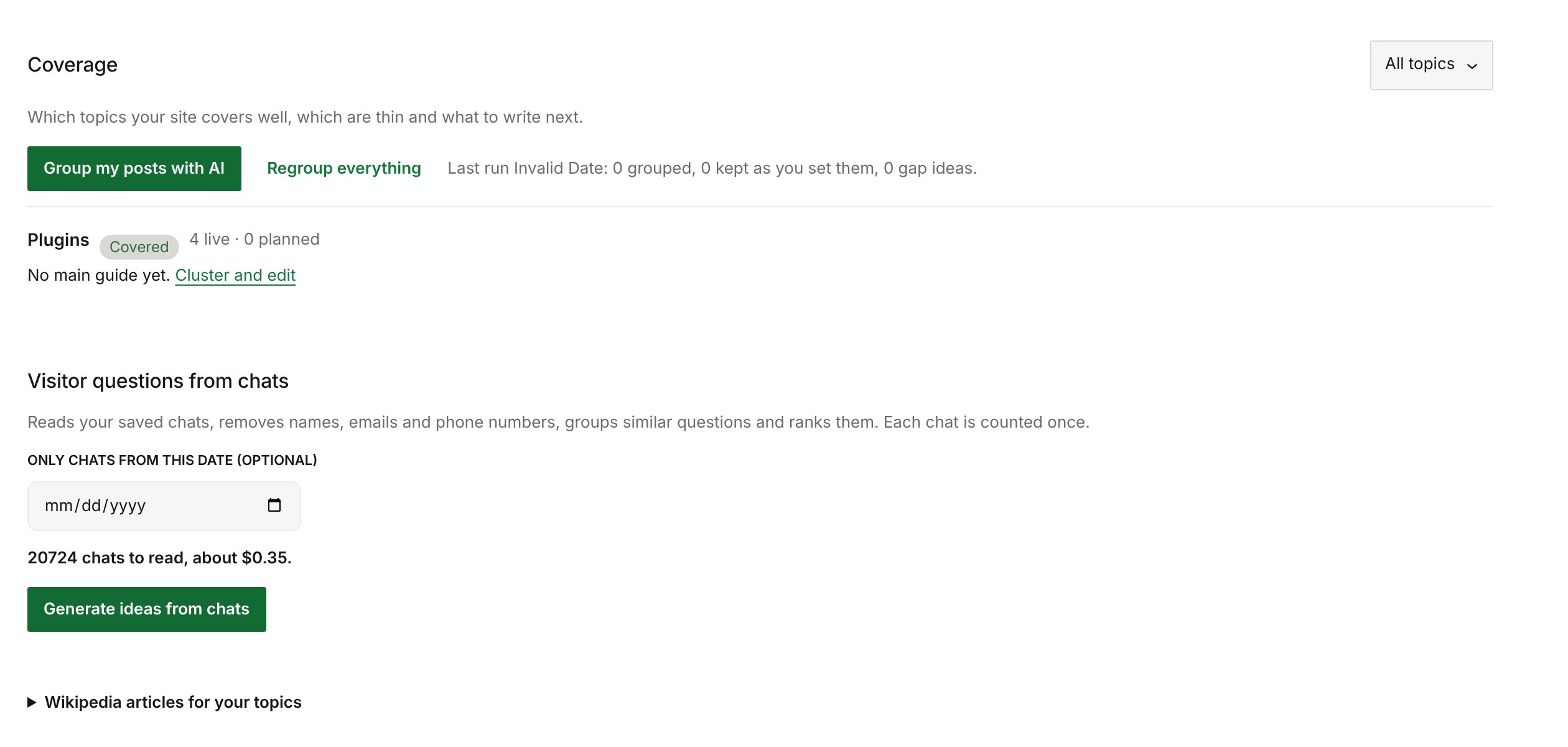
Visitor questions from chats, under Coverage in Topic Finder.
- Optionally set ONLY CHATS FROM THIS DATE (OPTIONAL).
- Check the line below it: how many chats there are to read and about what it costs.
- Click Generate ideas from chats.
AI Writer reads your saved chats, removes names, emails and phone numbers, groups similar questions and ranks them. Each chat is counted once, so later runs (Update ideas from chats) read only new chats. A long run can be resumed with Resume reading chats.
The grouped questions appear in Topic Finder as Visitor questions from chats. You can Rename a question or Merge into… another one. When you start Answer a question, the brief lists "Questions visitors asked in your chats:" so you can pick one with a click.
Note
An administrator starts chat runs, because they read every saved chat. Saved chats come from Chat Sessions.
Make it a habit
- Once a week, run Update ideas from chats and answer the top question.
- Use the FAQ format for groups of short questions, and Help article for one detailed question.
- Put the exact question in QUESTIONS TO ANSWER on the brief, so the page answers it in the visitor's own words.
- Check ChatBot → Train a week later: the question should no longer be unanswered.
Availability
Answer a question and Add to chatbot knowledge are in every edition, including WPBot Free. Visitor questions from chats is AI Writer Pro (Starter, Professional and Master) and needs saved chats from Chat Sessions, which is in every WPBot Pro edition.
Was this article helpful?
Sorry about that. Get help another way:











