

Coverage and topic clusters
On this page
Google and AI assistants trust sites that cover a topic completely: one main guide, with a page for each subtopic, all linked together. Coverage shows how close you are, topic by topic.
Open WPBot Pro → AI Writer → Topic Finder and scroll to Coverage, or open Content Calendar → Coverage.
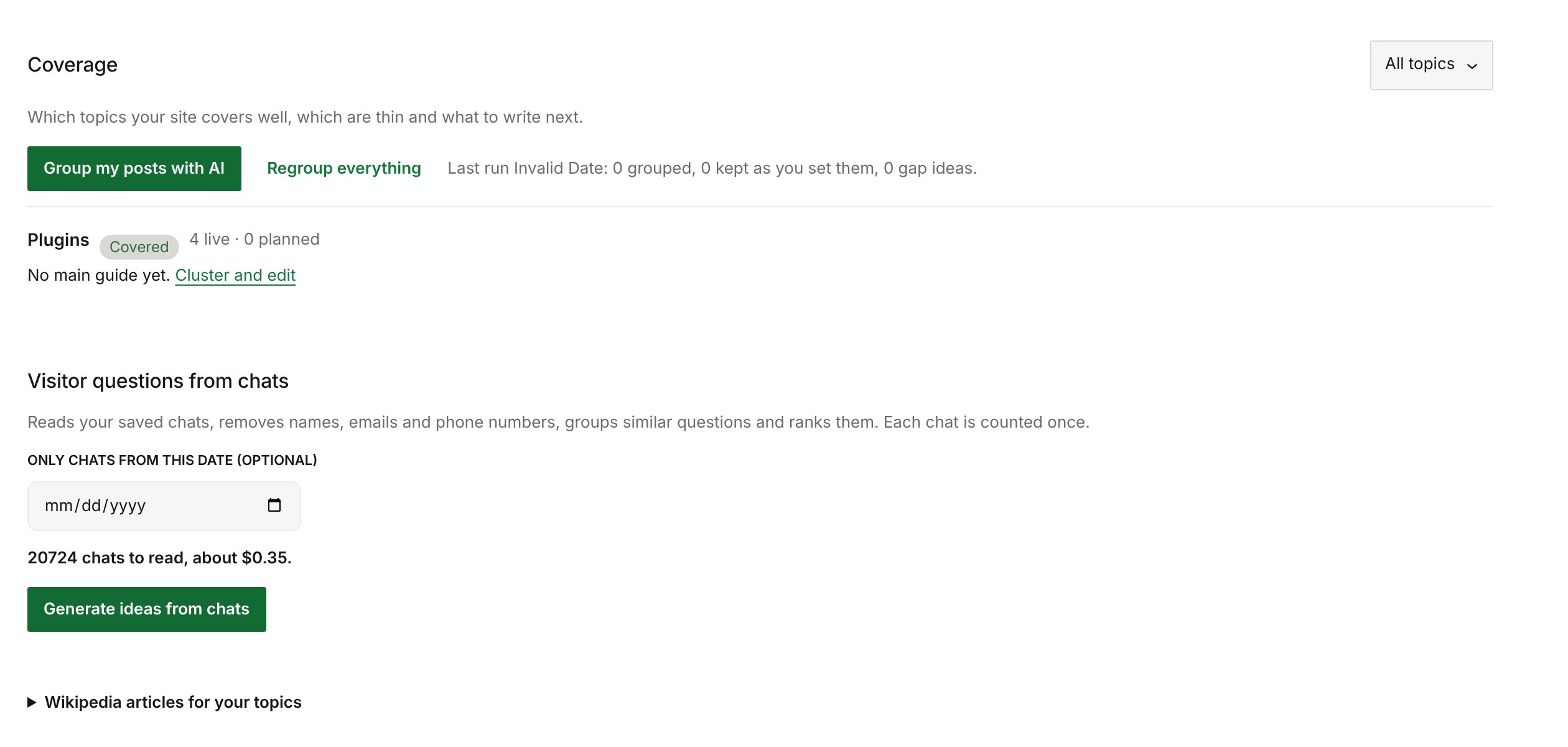
Coverage in Topic Finder, with Group my posts with AI.
Read the coverage
Each topic shows how many pages are live and planned, and a status:
| Status | Meaning |
|---|---|
| Covered | Your site covers this topic well. |
| Thin | Only a little content on it. |
| Planned | Pieces are planned but not live yet. |
| Missing | People look for it; your site has nothing. |
Where the data is there, a topic also shows its searches a month, its competition and trend, the next piece to write ("Write next: …") and missing subtopics. Use Show to filter All topics, Missing, Thin, Planned or Covered.
Topics come from your finished posts and saved ideas. The topic map is shared with SEO & AI Search, where it appears as Keywords & Topics → Topic Map.
Group your posts with AI (Pro)
Click Group my posts with AI to sort your existing posts into topics. Regroup everything starts over. Your own changes to topics are always kept: a topic you set or Lock (AI never changes it) stays as it is. The last run line says how many pages were grouped, kept and how many gap ideas were found. Gap ideas appear in Topic Finder as Coverage gaps.
Build a topic cluster (Pro)
A cluster is a topic with a Main guide (the pillar page) and its other live pages. The main guide links to every page and every page links back.
- Click Cluster and edit on a topic.
- Choose the Main guide. You can Rename the topic.
- Click Build cluster (or Save and fix links).
AI Writer adds the missing links in one small block at the end of each page: "More on…" on the main guide and "Part of our guide" on the others. Nothing else in your pages changes. With Keep links complete when pages change on, links that go missing after an edit are put back automatically. Add missing links fixes a cluster by hand.
Tip
A topic marked "No main guide yet" is a quick win: write one complete guide on it, make it the main guide, and every page in the topic links to it.
Plan a series
In Content Calendar → Coverage, Plan a series opens Plan content with AI for that topic, so you can fill a thin topic with dated drafts. See Plan your content with the Content Calendar.
Availability
The Coverage view is in every edition, including WPBot Free. Group my posts with AI, topic clusters with link upkeep, coverage gaps and Plan a series are AI Writer Pro, in Starter, Professional and Master.
Was this article helpful?
Sorry about that. Get help another way:











