

Send a support report to WPBot
On this page
A support report gives WPBot support what they need to find the cause: your setup and the errors WPBot recorded. It saves you a long exchange of questions.
Send it
- Open WPBot Pro → AI / Settings → Error log. (WPBot Pro → Help also has a Something not working? Send us your error log box that leads there.)
- Describe the problem in What happened?: what you did, what you expected, what happened instead, and the address of a page where it happens.
- Tick Send this report to WPBot support.
- Tick Should we contact you after we fix the issue? and enter your email if you want an answer. Your email address goes with the report only when you tick this.
- Click Send to WPBot support.
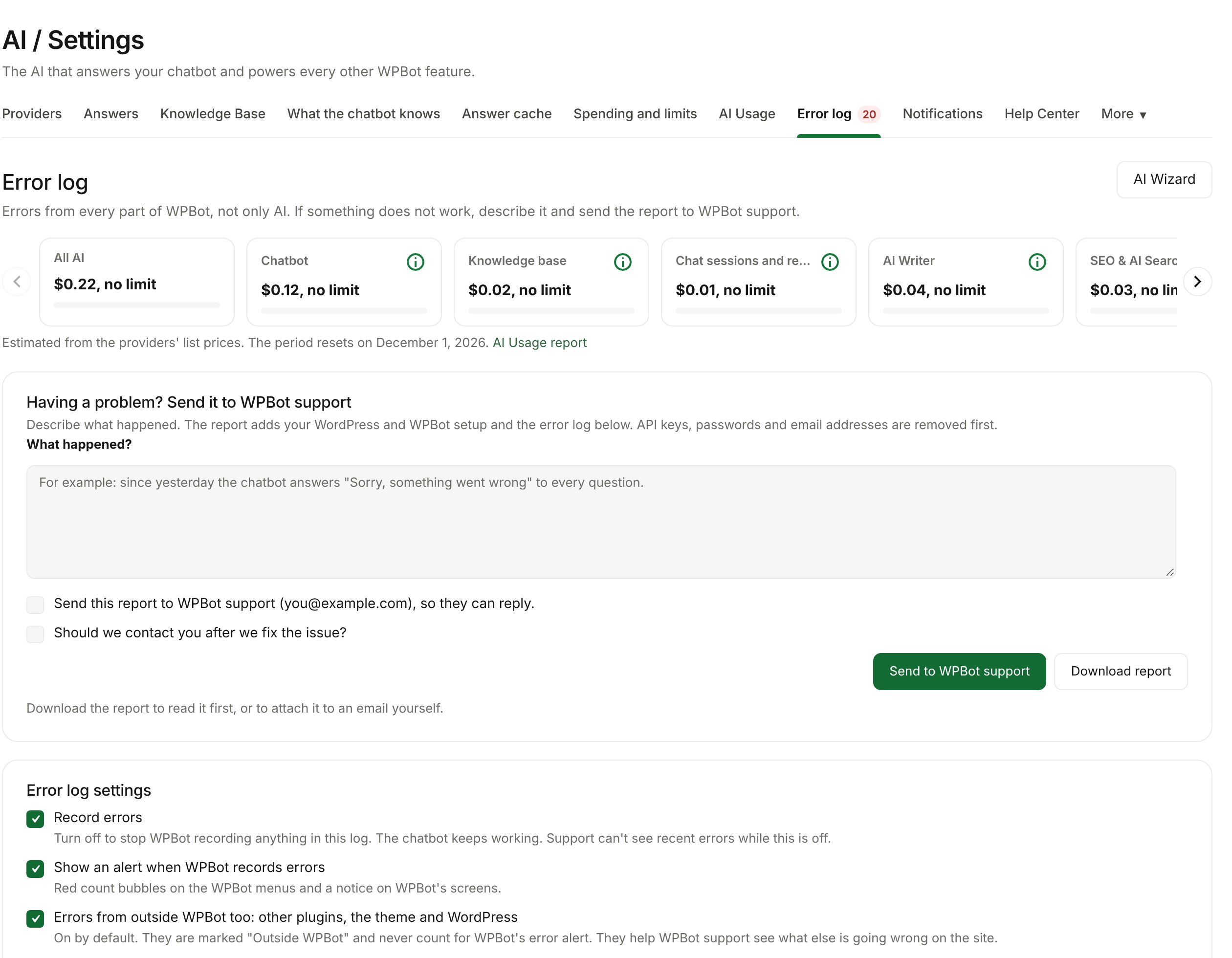
Describe the problem, then send the report or download it.
Prefer to read it first or attach it to your own email? Click Download report.
What the report contains
| Part | Details |
|---|---|
| Your description | What you typed in What happened? |
| WordPress and server | WordPress and PHP versions, database, web server, memory limit, maximum execution time, multisite, language, time zone and whether WP-Cron runs |
| Theme | The active theme |
| WPBot | The WPBot version, WPBot Core and module versions, and which WPBot features are on |
| Active plugins | The list of active plugins |
| Error log | Errors from WPBot, and separately errors from outside WPBot (other plugins, the theme, WordPress), each naming where it came from |
API keys, passwords and email addresses are removed before the report is sent. The report never contains your keys.
Get a better answer, faster
- Make the error happen again just before you send the report, so the log holds it.
- Turn on Minor PHP notices and deprecation messages too in the error log settings only when support asks; it adds noise otherwise.
- Keep Errors from outside WPBot too on. Another plugin's error is often the real cause, and support can only see it if it is recorded.
- Mention what changed recently: an update, a new plugin, a host move.
Before you contact support
- Troubleshooting common problems solves the most common problems in minutes.
- Getting help and support lists every way to reach support.
Availability
In every edition, including WPBot Free. A valid license includes WPBot Pro's professional support.
Was this article helpful?
Sorry about that. Get help another way:











