

Lead Finder: find and contact businesses that fit
Open WPBot Pro → AI Marketing → Lead Finder (under More). The header shows the last 7 days: found, contacted, replied and interested.
Note
Prospects are businesses, kept apart from your marketing contacts: they never get newsletters or campaigns. Someone becomes a contact only by replying with interest, chatting, filling in a form or subscribing.
Settings first
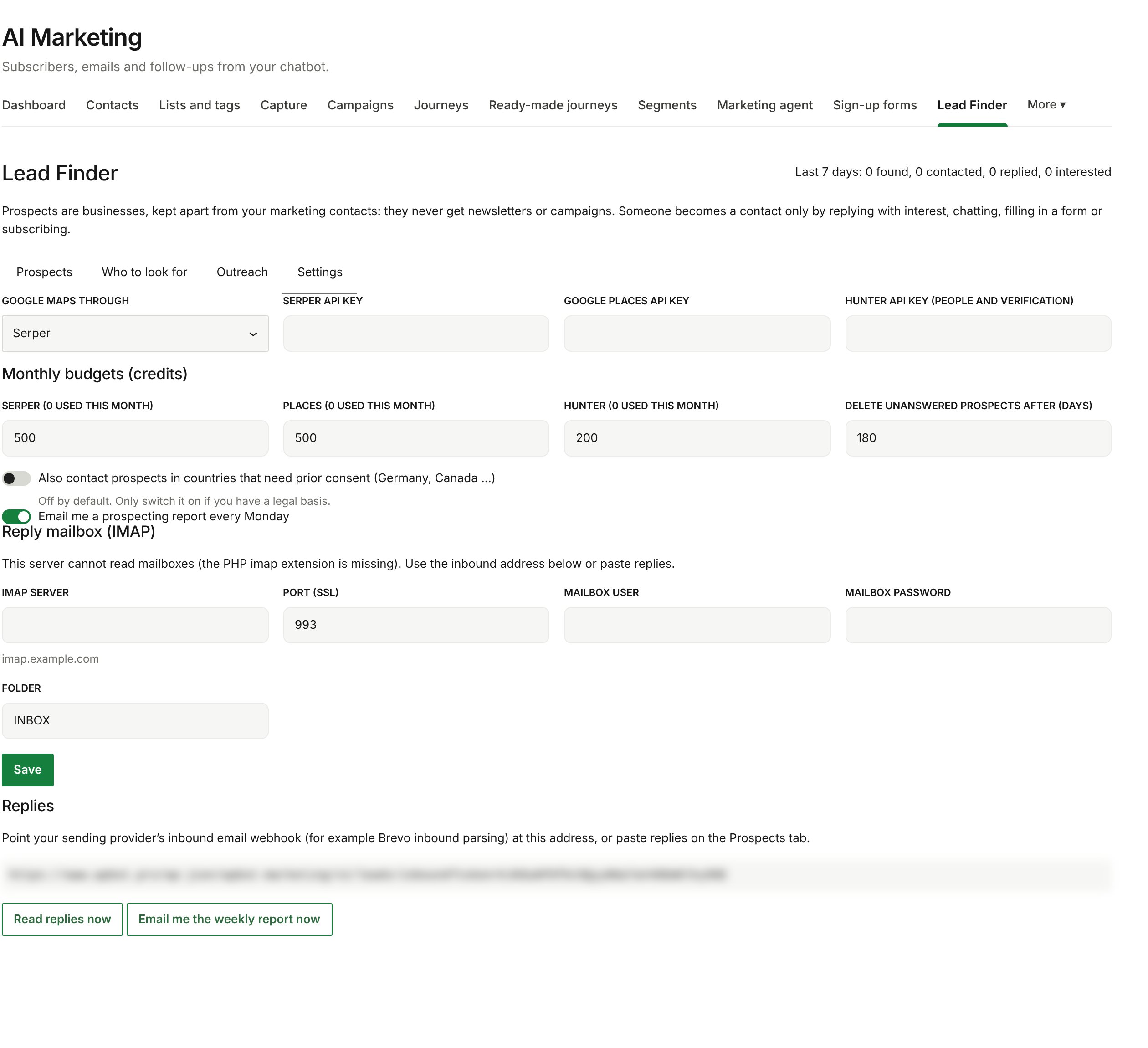
Lead Finder settings: sources, budgets, country rules and the reply mailbox.
- GOOGLE MAPS THROUGH: Serper or Google Places, with its API key. HUNTER API KEY (PEOPLE AND VERIFICATION) finds people and checks addresses. These are your own accounts with each service.
- Monthly budgets (credits): per service, with what was used this month. Lead Finder stops at the budget. Companies already saved are never paid for again.
- DELETE UNANSWERED PROSPECTS AFTER (DAYS): 180 by default.
- Also contact prospects in countries that need prior consent (Germany, Canada …): off by default. Only switch it on if you have a legal basis.
- Email me a prospecting report every Monday.
- Reply mailbox (IMAP) or the Replies address: so Lead Finder can read replies. Point your sending provider's inbound email webhook at the address shown, or paste replies on the Prospects tab.
Who to look for
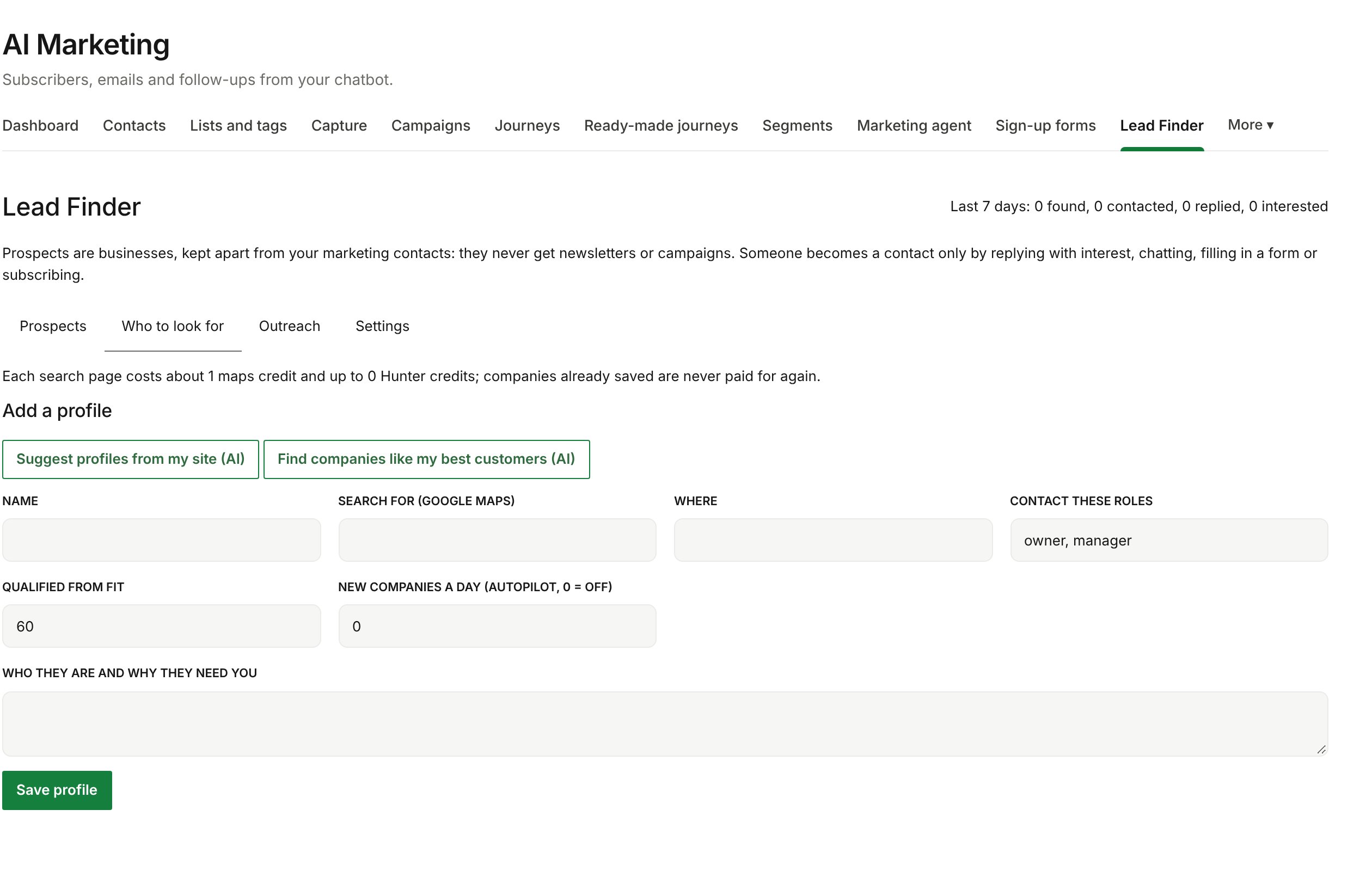
Who to look for: ideal customer profiles.
Add a profile: NAME, SEARCH FOR (GOOGLE MAPS), WHERE, CONTACT THESE ROLES (for example owner, manager), QUALIFIED FROM FIT (60 by default), NEW COMPANIES A DAY (AUTOPILOT, 0 = OFF) and WHO THEY ARE AND WHY THEY NEED YOU. Or click Suggest profiles from my site (AI) or Find companies like my best customers (AI).
The screen shows the cost of each search page before you search.
Prospects
Each prospect has a status: New, Qualified, Contacted, Replied, Meeting, Won, Lost or Do not contact. Lead Finder researches each company from its own website (technology, buying signals, names and emails on the home, contact, about and team pages) and Hunter, verifies addresses, and writes a short brief, a Fit score with reasons and an honest opening line. Guessed addresses are never used.
Filter by status and Fit at least, click Research the next 5, and add qualified prospects to a sequence.
Outreach
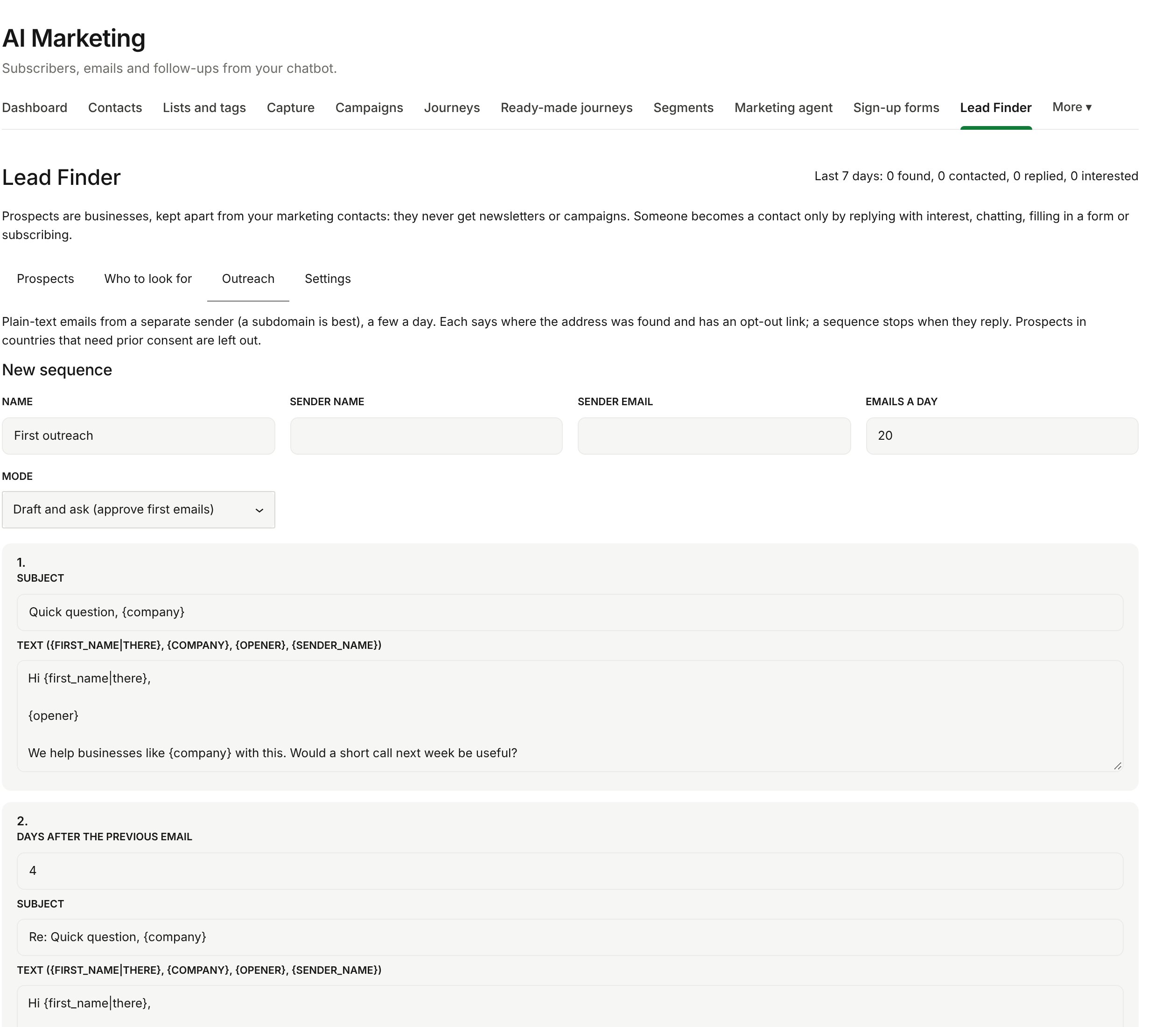
Outreach sequences: plain-text emails from a separate sender.
Plain-text emails from a separate sender (a subdomain is best), a few a day. Each says where the address was found and has an opt-out link; a sequence stops when they reply. Prospects in countries that need prior consent are left out.
Set the Sender name, Sender email, Emails a day and Mode: Draft and ask (approve first emails) or Autopilot (within the daily cap). Each step has its days after the previous email, a Subject and Text, with {first_name|there}, {company}, {opener} and {sender_name}.
Replies are sorted by AI. An interested reply creates a contact with consent and alerts you.
Inbound business leads
When a chat visitor, form or sign-up gives a business email, the company is researched in the background, and a strong fit alerts you as a hot B2B lead.
Warning
Cold email is regulated differently in each country. Keep volumes low, send from a separate domain, honour every opt-out, and check the rules where your prospects are.
Availability
Master only. Starter, Professional and WPBot Free show a preview with Upgrade to Master.
Was this article helpful?
Sorry about that. Get help another way:











