

Capture chatbot leads into AI Marketing
On this page
Open WPBot Pro → AI Marketing → Capture. The ChatBot Subscribers card connects your chatbot to AI Marketing.
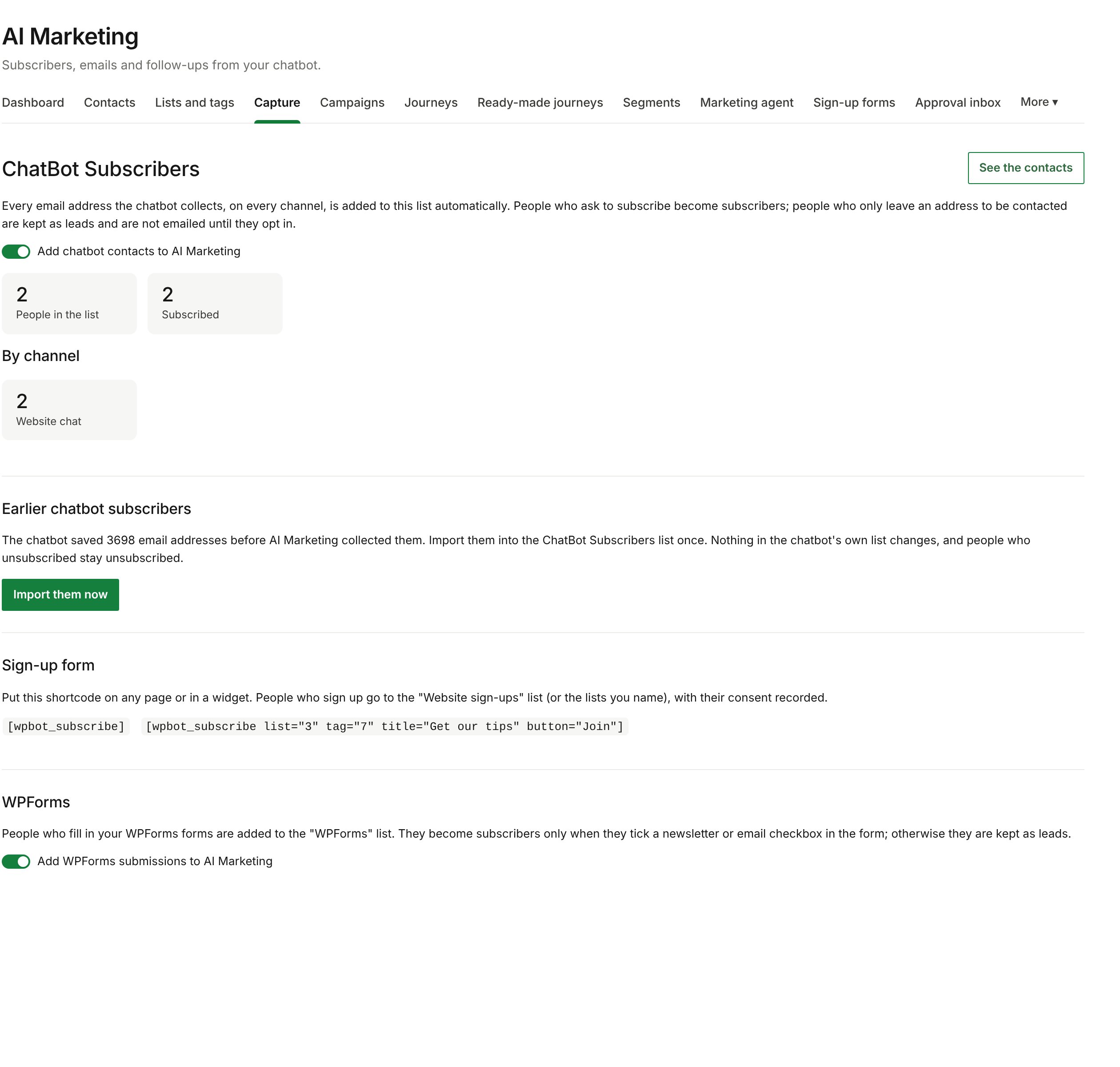
Capture: ChatBot Subscribers, the sign-up form shortcode and WPForms.
How chatbot contacts are added
With Add chatbot contacts to AI Marketing on, every email address the chatbot collects, on every channel, is added to the ChatBot Subscribers list automatically:
- People who ask to subscribe become Subscribed.
- People who only leave an address to be contacted are kept as Lead (not subscribed) and are not emailed until they opt in.
The card shows People in the list, how many are Subscribed, and By channel: Website chat, Messenger, Instagram, WhatsApp, Telegram, Live chat, Support ticket and Connected site, depending on what you use. Each contact is also tagged with its channel, for example Chat: Website chat.
Unsubscribing works both ways: someone who unsubscribes from your emails is also unsubscribed in the chatbot's own list.
Earlier chatbot subscribers
If the chatbot saved email addresses before AI Marketing collected them, Earlier chatbot subscribers shows how many. Click Import them now to add them to the ChatBot Subscribers list once. Nothing in the chatbot's own list changes, and people who unsubscribed stay unsubscribed.
Get more chatbot leads
Tip
Visitors give their email when they get something for it. Offer it at the moment it helps them: "Shall I email you this answer?", "I can let you know when this is back in stock", or a free checklist about what they asked.
- Turn on the chatbot's email collection and the subscribe option. See ChatBot.
- With Master, follow up on chats automatically with the journeys Chat left without an answer and Asked for a person, and send "We answered your question" emails when you answer an unanswered question in ChatBot → Train. See Journeys: automatic email series.
- With Master, when a chat visitor gives a business email, Lead Finder researches the company in the background and alerts you to a strong fit. See Lead Finder: find and contact businesses that fit.
Availability
In every edition, including WPBot Free. Chat-triggered journeys, answer emails and company research are Master only. Which chatbot channels exist depends on your edition: Messenger, Instagram, WhatsApp, Telegram, Live chat and support tickets are Master only.
Was this article helpful?
Sorry about that. Get help another way:











