

Contacts: statuses, consent and the contact record
On this page
Open WPBot Pro → AI Marketing → Contacts. Everyone AI Marketing knows is here, from the chatbot, your forms, your shop, imports and Lead Finder replies.
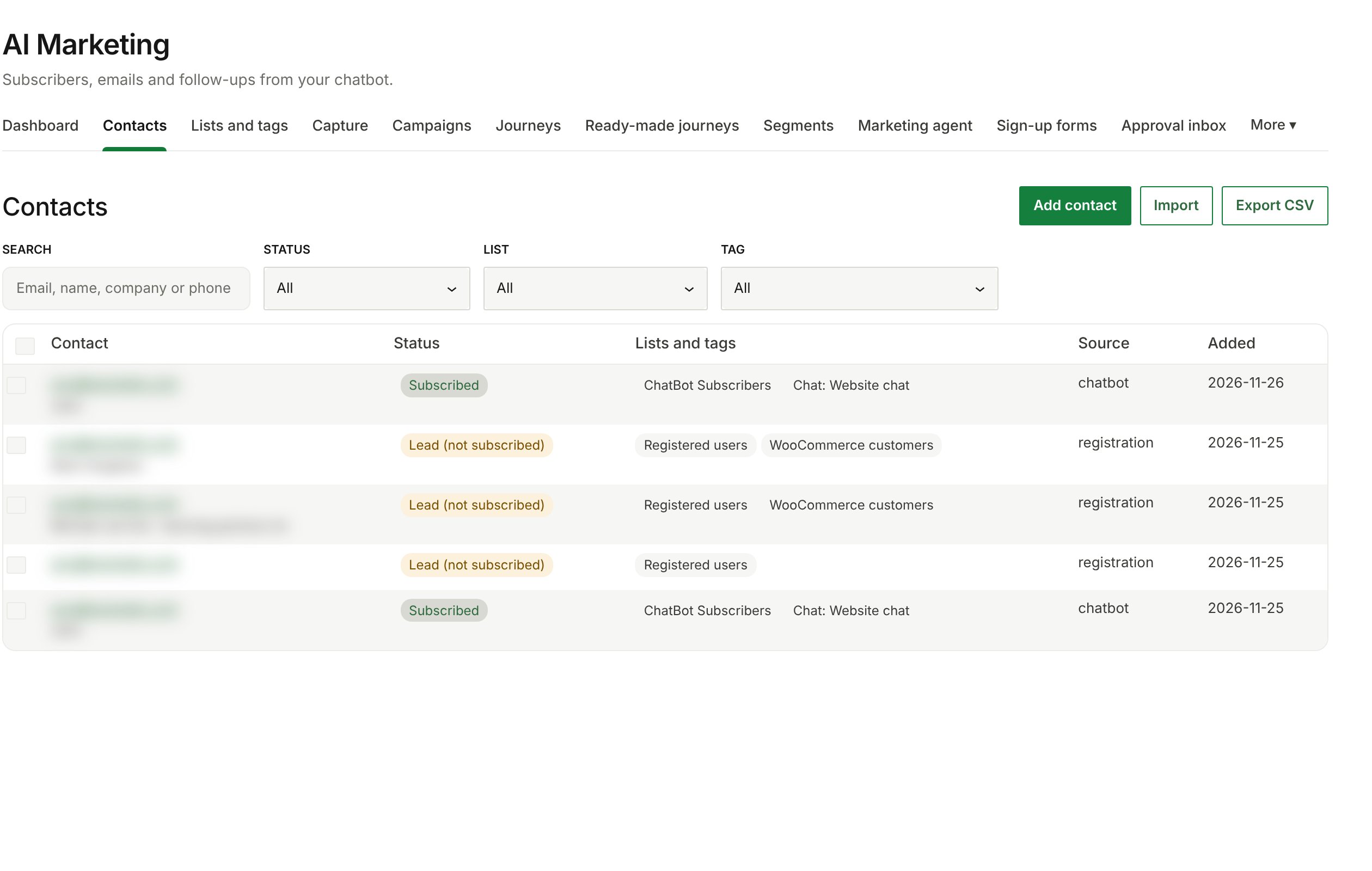
Contacts with filters by status, list and tag.
Find people
Search by Email, name, company or phone, and filter by STATUS, LIST and TAG. The table shows each contact's status, lists and tags, source and the date added, up to 200 a page.
Statuses
| Status | Gets marketing email? | How someone gets it |
|---|---|---|
| Subscribed | Yes | They signed up, ticked a consent box, or asked the chatbot to subscribe |
| Waiting for confirmation | No | They signed up and have not clicked the double opt-in link yet |
| Lead (not subscribed) | No | They left an address to be contacted, or were imported without consent |
| Prospect | No | A business found by Lead Finder |
| Unsubscribed | No | They opted out |
| Bounced | No | Their address does not accept email |
| Marked as spam | No | They reported an email as spam |
Warning
Only subscribed contacts get marketing email. You can unsubscribe anyone, but you cannot subscribe someone who opted out: This person opted out. Only they can subscribe again, by signing up themselves. A spam complaint is never undone.
Add or edit a contact
Click Add contact, or click a contact to edit them: Email, First name, Last name, Phone, Company and the other fields, Status, Lists and Tags. Why they are in each list explains each list placement, for example the page they signed up on, or Added by the owner.
With Master, the contact record also shows What we know: the lifecycle stage (for example Subscriber, Engaged, Customer, VIP or At risk), Engagement, Buying intent and Interested in.
Delete a contact
Delete contact removes the person and everything stored about them. It cannot be undone. Sent-email statistics stay as anonymous counts.
Bulk actions
Tick contacts (or Select all), choose an action and click Apply: Add to list, Add tag, Remove from list, Remove tag, Unsubscribe or Delete.
Import and export
Import and Export CSV are explained in Import and export contacts.
Availability
In every edition, including WPBot Free. What we know (lifecycle, scores and interests) is Master only.
Was this article helpful?
Sorry about that. Get help another way:











