

Advanced settings: background jobs, tokens, log and data
On this page
Open WPBot Pro → Social → Settings → Advanced.
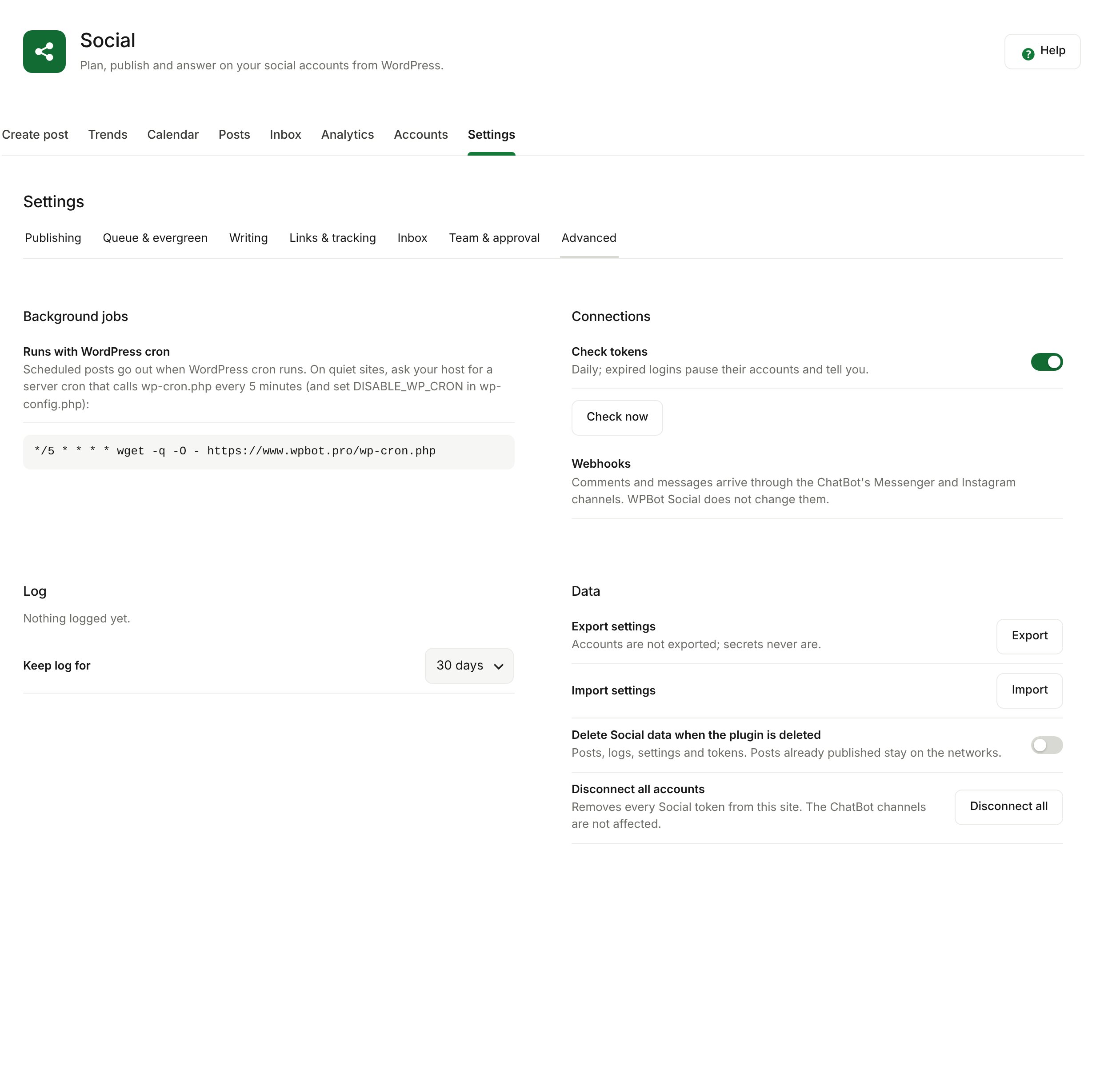
Advanced: background jobs, connections, log and data.
Background jobs
Runs with WordPress cron: scheduled posts go out when WordPress cron runs. WordPress cron only runs when someone visits your site, so on quiet sites posts can be late. Ask your host for a server cron that calls wp-cron.php every 5 minutes, and set DISABLE_WP_CRON in wp-config.php. The screen shows the exact line for your site.
Connections
- Check tokens daily: expired logins pause their accounts and tell you. Check now checks at once.
- Webhooks: comments and messages for the ChatBot arrive through its Messenger and Instagram channels. Social does not change them.
Log
The latest Social events with their result. Keep log for 7, 30 (default), 90 or 365 days. Tokens are removed from every log line.
Data
| Option | What it does |
|---|---|
| Export settings | Downloads Social's settings. Accounts are not exported; secrets never are |
| Import settings | Loads an exported file |
| Delete Social data when the plugin is deleted | Off by default. Deletes posts, logs, settings and tokens on uninstall. Posts already published stay on the networks |
| Disconnect all accounts | Removes every Social token from this site. The ChatBot channels are not affected |
When WPBot Free and WPBot Pro are both installed, Social's data is deleted only when the last of them is uninstalled with this option on. See Deactivate or uninstall WPBot, and what happens to your data.
Availability
In every edition, including WPBot Free.
Was this article helpful?
Sorry about that. Get help another way:











