

Writing settings: AI, budget, voice, hashtags and each network’s style
On this page
Open WPBot Pro → Social → Settings → Writing.
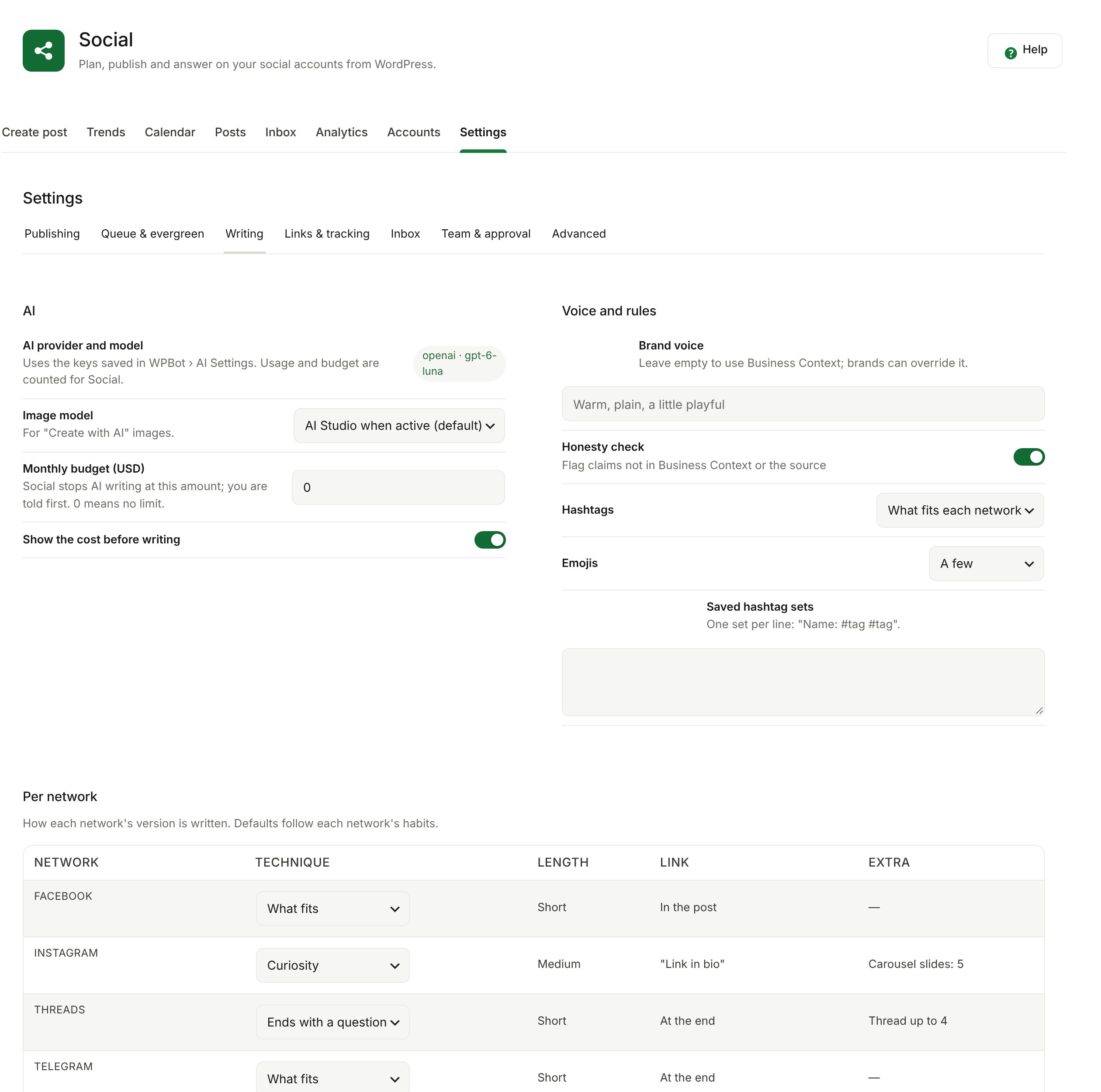
Writing: AI and budget, voice and rules, hashtags and emojis.
AI
- AI provider and model: Social uses the keys saved in WPBot Pro → AI / Settings; usage and budget are counted for Social. See Choose your AI provider and add your key.
- Image model: for Create with AI images. AI Studio when active (default) or Off.
- Monthly budget (USD): Social stops AI writing at this amount, and you are told first. 0 means no limit. See also Set AI spending limits and alerts.
- Show the cost before writing: shows the estimate before each Write.
Voice and rules
- Brand voice: leave it empty to use Business Context; brands can override it.
- Honesty check: Flag claims not in Business Context or the source. Keep it on: flagged versions wait for your confirmation.
- Hashtags: What fits each network, None, A few (up to 2) or More (up to 8).
- Emojis: None, A few or Where they fit.
- Saved hashtag sets: one set per line, as
Name: #tag #tag.
Per network
How each network's version is written. Defaults follow each network's habits.
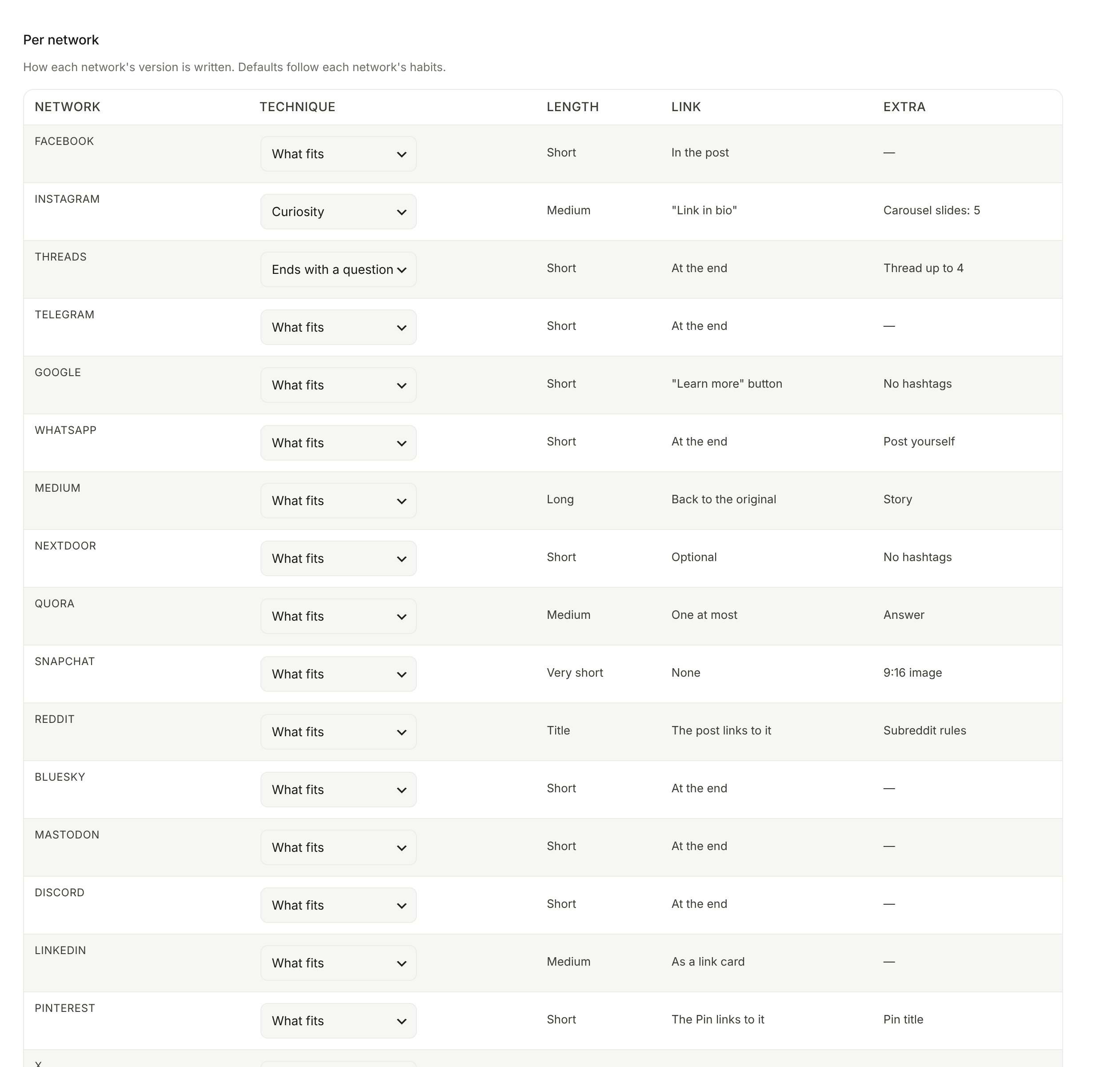
Technique, length, link placement and extras per network.
For each network you can choose the Technique: What fits, Curiosity, Insight-led, Answer first, Short story, Ends with a question or Offer first. The table also shows the Length, where the Link goes and any Extra:
| Network | Length | Link | Extra |
|---|---|---|---|
| Short | In the post | — | |
| Medium | "Link in bio" | Carousel slides: 5 | |
| Threads | Short | At the end | Thread up to 4 |
| Short | "Learn more" button | No hashtags | |
| Medium | As a link card | — | |
| Short | The Pin links to it | Pin title | |
| Medium | Long | Back to the original | Story |
Tip
For sales, try Offer first on Facebook and Google, and Answer first on LinkedIn and Quora. Then compare in Analytics → Content.
Availability
In every edition, including WPBot Free. The rows for the Master networks and brand voices appear with Master.
Was this article helpful?
Sorry about that. Get help another way:











