

Publishing settings: default time, late posts, retries and failure emails
Open WPBot Pro → Social → Settings → Publishing. The first card, Auto-share new content, is explained in Auto-share new posts, pages and products.
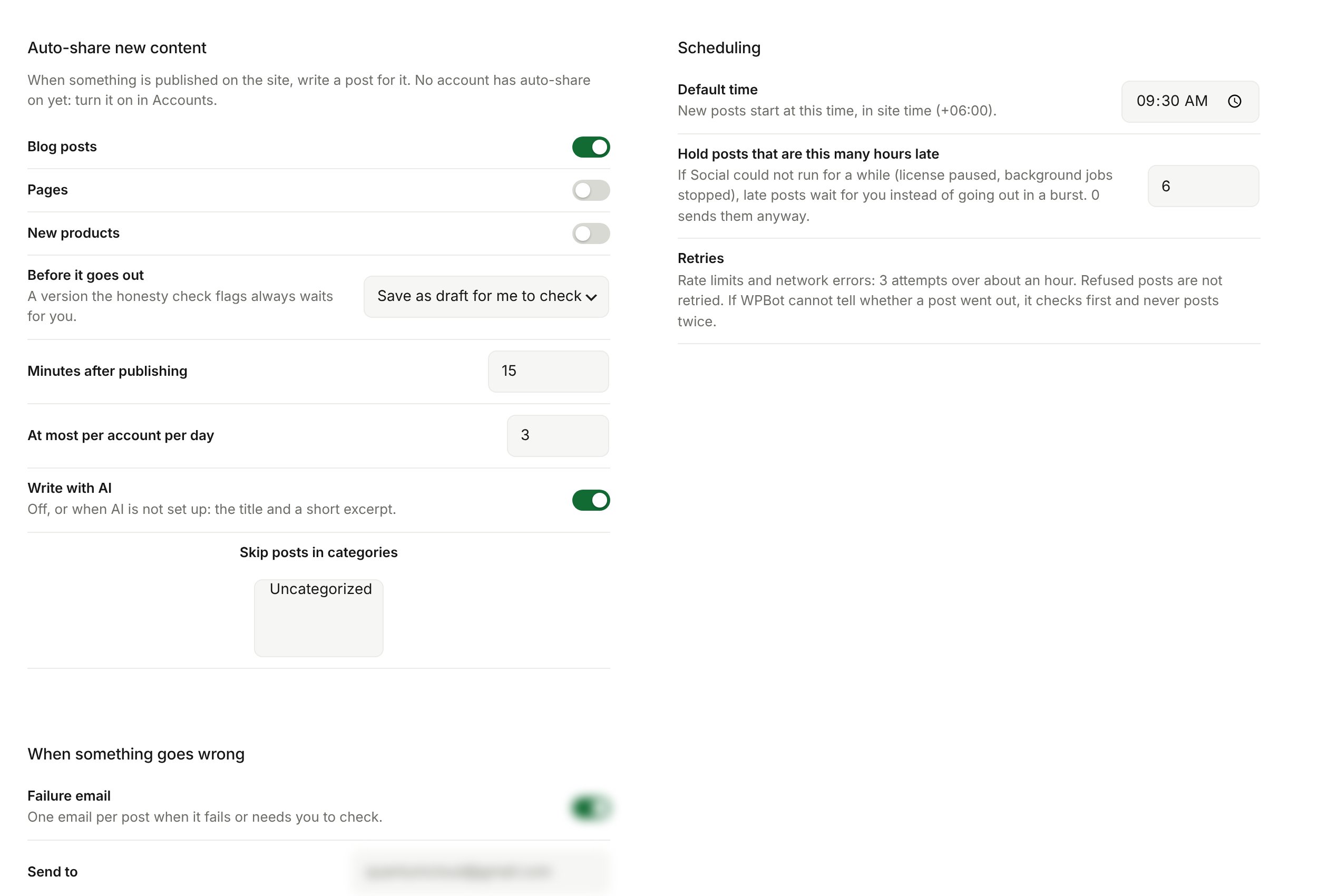
Scheduling, failure emails and the public media check.
Scheduling
| Setting | What it does |
|---|---|
| Default time | New posts start at this time, in site time |
| Hold posts that are this many hours late | If Social could not run for a while (license paused, background jobs stopped), late posts wait for you as Missed instead of going out in a burst. 0 sends them anyway. Default: 6 |
| Retries | Rate limits and network errors: 3 attempts over about an hour. Refused posts are not retried. If WPBot cannot tell whether a post went out, it checks first and never posts twice |
When something goes wrong
- Send failure emails: one email per post when it fails or needs you to check.
- Send to: the address for these emails.
Public media check
Instagram and Threads download images from your site. This check shows Reachable when they can. It is best effort: a firewall can still block them.
Tip
If posts with images fail on Instagram or Threads, check this first. Security plugins and firewalls that block unknown visitors can block the networks too.
Availability
In every edition, including WPBot Free.
Was this article helpful?
Sorry about that. Get help another way:











