

Connect Google Business Profile
On this page
Posts go to your Business Profile locations through WPBot's Google connection. Open WPBot Pro → Social → Accounts and click Connect on the Google Business Profile card. The screen has three steps.
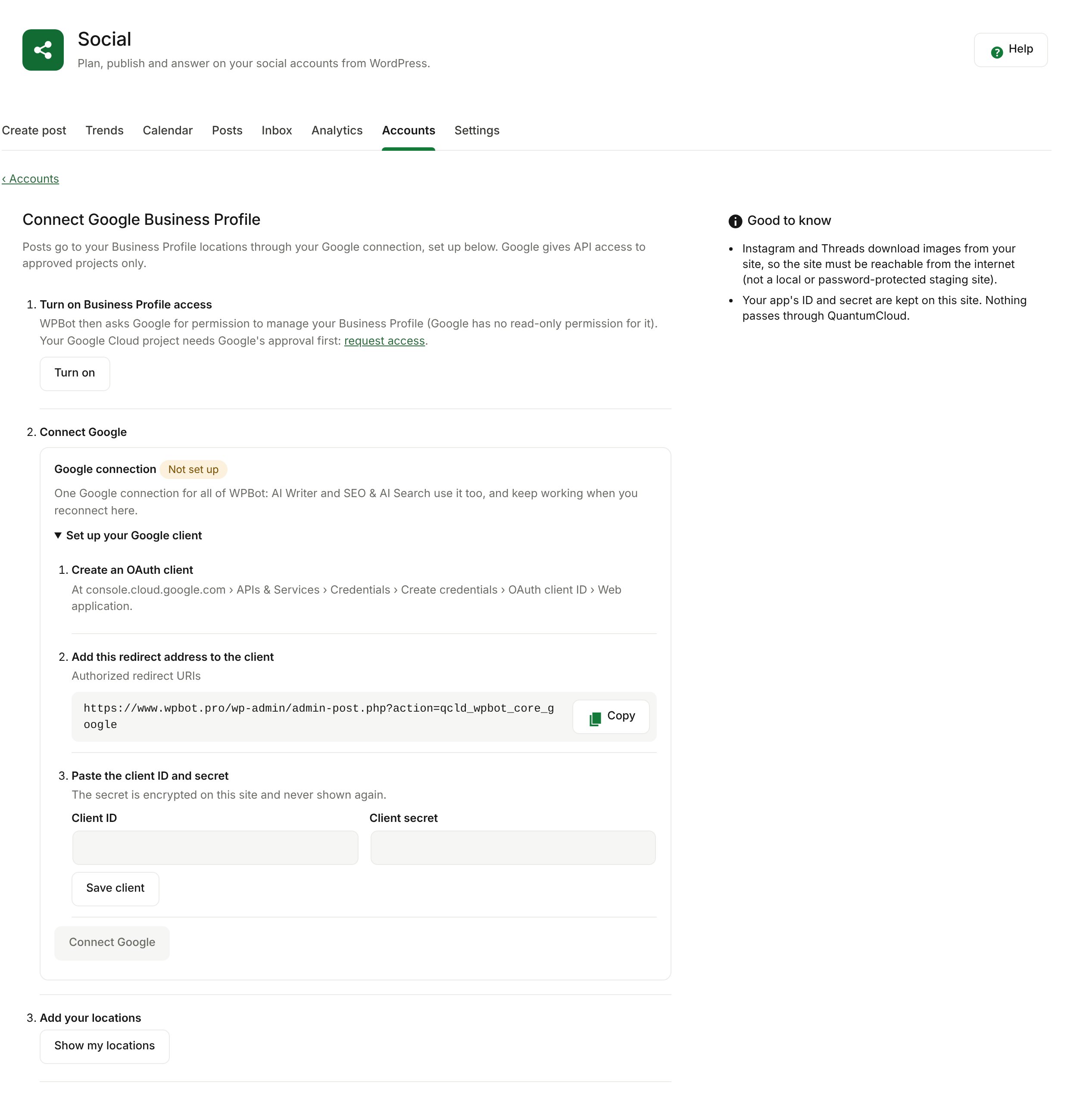
Connect Google Business Profile: access, the Google connection and your locations.
Warning
Google gives Business Profile API access to approved projects only. Request access for your Google Cloud project first; without Google's approval, posting and reviews do not work.
Step 1: Turn on Business Profile access
Click Turn on. WPBot then asks Google for permission to manage your Business Profile. Google has no read-only permission for it.
Step 2: Connect Google
This is one Google connection for all of WPBot: AI Writer and SEO & AI Search use it too, and they keep working when you reconnect here.
If the connection is Not set up yet:
- At console.cloud.google.com, open APIs & Services → Credentials → Create credentials → OAuth client ID and choose Web application.
- Copy the redirect address on the screen and add it under Authorized redirect URIs. It ends in
admin-post.php?action=qcld_wpbot_core_google. - Paste the Client ID and Client secret and click Save client. The secret is encrypted and never shown again.
- Click Connect Google and allow access.
If Google is already connected for AI Writer or SEO & AI Search, click Reconnect Google so Google adds the Business Profile permission. Earlier permissions are kept.
Step 3: Add your locations
Click Show my locations and add the locations you want to post to. Each location becomes an account.
Posting to Google
In Create post, the Google Business Profile section sets the Post type:
| Post type | Extra fields |
|---|---|
| Update | — |
| Offer | Title, Starts, Ends, Coupon code, Terms |
| Event | Title, Starts, Ends |
Links are not clickable in Google post text, so WPBot adds a Learn more button with your link instead. Google posts use no hashtags.
Tip
Google posts show on your profile in Search and Maps, where local customers decide. Post your offers and events here every week.
Reviews in the Inbox
With Master, your Google reviews come into the Answer comments and reviews in the Inbox with a reply drafted by the ChatBot. Reviews of 1 to 3 stars always go to a person.
Availability
Google Business Profile posting is in every edition, including WPBot Free. Reviews in the Inbox are Master only.
Was this article helpful?
Sorry about that. Get help another way:











