

Chatbot data and privacy
WPBot runs on your own site. Conversations, leads and settings are stored in your WordPress database, not on WPBot's servers. Only the text needed to answer a question is sent to the AI provider you chose.
What the chatbot keeps
Open WPBot Pro → AI / Settings → More → Chatbot data.
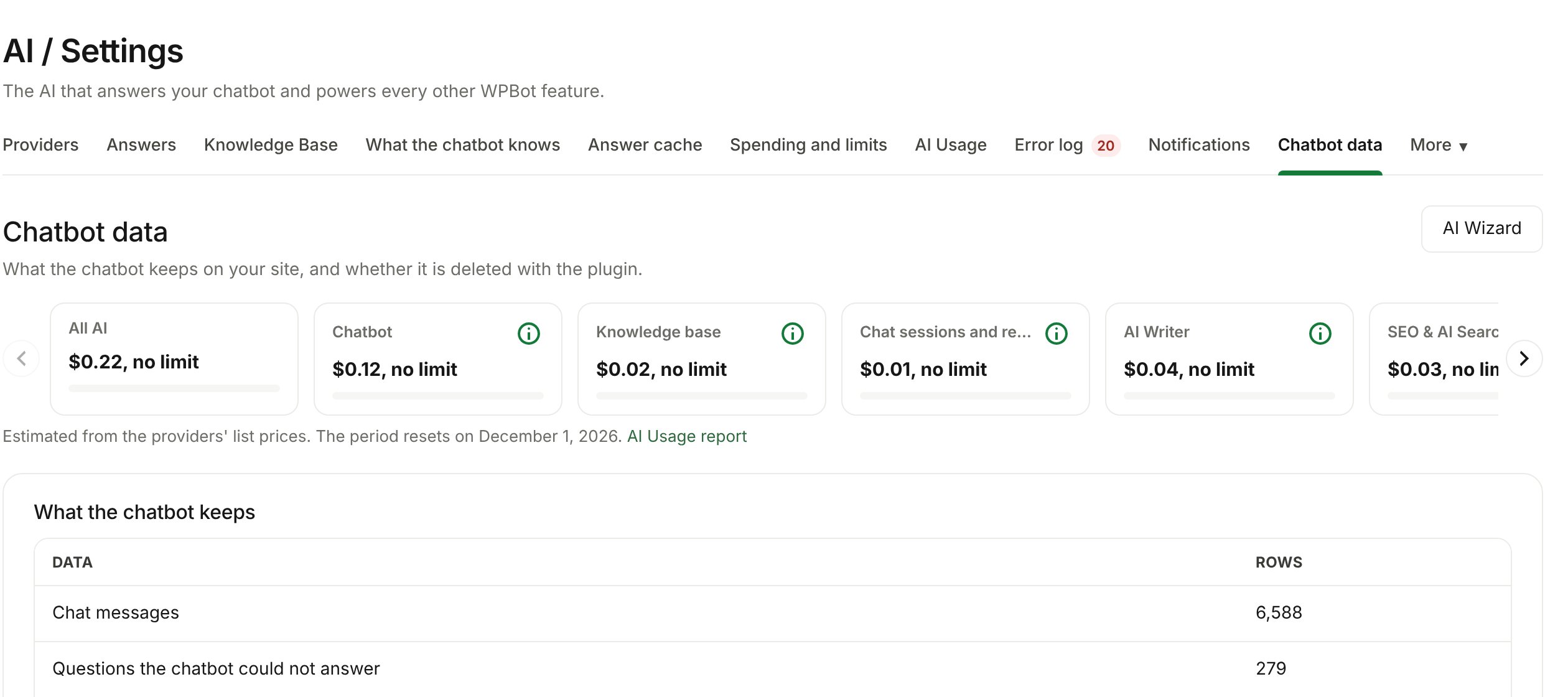
What the chatbot keeps, and the delete switch.
The table counts the rows WPBot keeps:
- Chat messages
- Questions the chatbot could not answer
- Change log and approvals
- Answer cache
When the plugin is deleted
Delete chatbot data when the plugin is deleted is off by default. When it is on, deleting the plugin deletes the data above and the chatbot's AI Settings, but only when no other WPBot plugin is installed: WPBot Free and WPBot Pro share this data, so it stays while either one is still on the site.
In WPBot Pro, the same switch also deletes WPBot Pro's own settings and WPBot Core's data (AI keys, knowledge base, background jobs and the error log) when WPBot Pro is the last WPBot plugin on the site.
Your posts, pages, products and Help Center articles are never deleted. AI Writer, Social and Site Insight have their own delete settings. See Deactivate or uninstall WPBot, and what happens to your data.
Privacy good practice
- Tell visitors in your privacy policy that the chat uses an AI provider, and which one.
- Keys are safe: API keys stay on your server, are shown only as their last 4 characters, and are never sent to the browser or logged.
- Support reports are cleaned: API keys, passwords and email addresses are removed before a report is sent. See Error log and support reports.
- Customer questions without names: Business Context reads chat questions without names or contact details.
- Answer cache never stores answers for logged-in visitors or answers that used personal data.
Availability
In every edition, including WPBot Free.
Was this article helpful?
Sorry about that. Get help another way:











