

Permissions: who can see, use and change each tool
Open WPBot Pro → Permissions. Choose which roles can use each WPBot area.
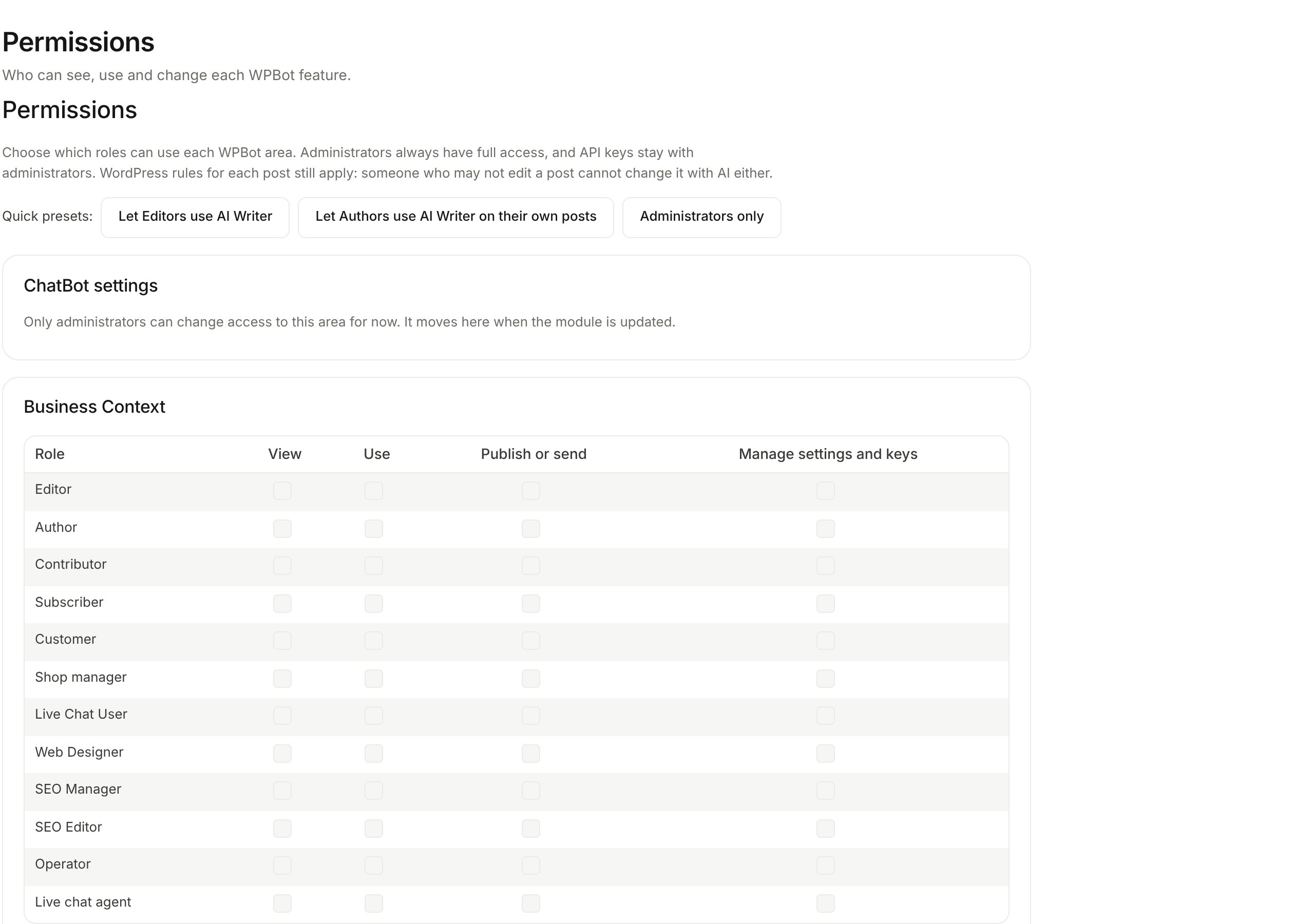
Quick presets, and a table of roles and levels for each area.
The rules
- Administrators always have full access, and API keys stay with administrators.
- WordPress rules for each post still apply: someone who may not edit a post cannot change it with AI either.
The four levels
For each area, tick what each role may do:
| Level | Lets the role |
|---|---|
| View | Open the area and see its data and reports |
| Use | Run its AI tools and create drafts |
| Publish or send | Publish posts, send emails and campaigns, post to social networks |
| Manage settings and keys | Change the area's settings. API keys still need an administrator. |
The areas
Business Context, AI Writer, AI Marketing, Social, SEO & AI Search, ChatBot: Train and AI tools, ChatBot: Inbox, AI / Settings and Help Center each have their own table.
Some areas (ChatBot settings, AI Studio, Site Insight, Growth Dashboard) show "Only administrators can change access to this area for now". Their access moves here when those modules are updated; until then use Menu Access: capabilities for WPBot admin menus.
Quick presets
- Let Editors use AI Writer
- Let Authors use AI Writer on their own posts
- Administrators only
A preset ticks the right boxes; adjust them afterwards and click save.
Example setups
| Team | Setup |
|---|---|
| A content writer | Author: AI Writer View + Use. An Editor publishes. |
| A marketing manager | Editor: AI Marketing and Social View, Use and Publish or send; Business Context View. |
| An SEO agency | SEO Manager: SEO & AI Search all levels except keys; AI Writer Use. |
| Support staff | Live chat agent: ChatBot: Inbox View + Use; ChatBot: Train and AI tools View. |
Giving your team the right access keeps the Growth Loop turning without you: writers create, marketers share and send, and support answers, while you keep control of settings and costs.
Availability
Permissions are in every edition, including WPBot Free. Areas appear for the tools your edition includes.
Was this article helpful?
Sorry about that. Get help another way:











