

Connected sites: one chatbot and knowledge base for all your sites
On this page
Many businesses run more than one site: a shop and a documentation site, a main site and a blog, or several sites in a WordPress network. Connected sites gives them one knowledge base and, if you like, one chatbot. Answers link to the page on the right site.
Open WPBot Pro → ChatBot → Connected sites. The tabs are Sites this hub reads, Add a site, Send this site to a hub and This site.
Two roles
- The hub reads other sites and answers from all of them.
- A source sends its content to the hub.
The hub makes the AI search index for everything, with its own embedding model, so connected sites need no AI key of their own.
Add a site to this hub
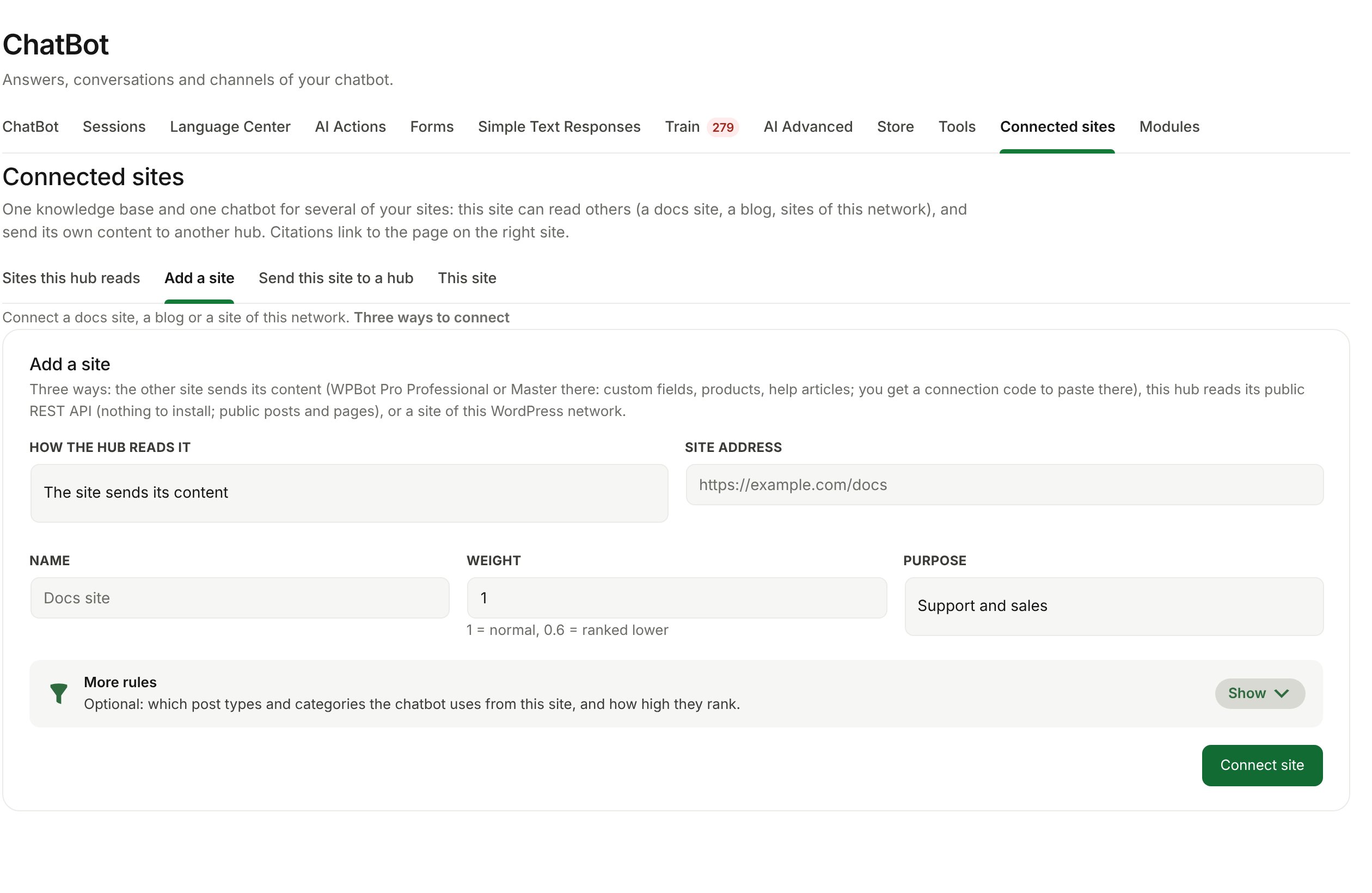
Add a site: how the hub reads it, name, weight and purpose.
On the hub, open Add a site and choose HOW THE HUB READS IT:
| Way | What it needs | What is read |
|---|---|---|
| The site sends its content | WPBot Pro Professional or Master on the other site. You get a connection code to paste there. | Pages, posts, products, help articles and mapped custom fields; members-only content if the source allows it. |
| Public REST API | Nothing to install on the other site. | Public posts and pages. |
| A site of this WordPress network | The sites are in the same multisite network. | The site's content. |
Then set:
- SITE ADDRESS and NAME.
- WEIGHT: 1 = normal, 0.6 = ranked lower.
- PURPOSE: Support and sales, Support (docs, help articles) or Sales (not used for chats on support sites).
- More rules: which post types and categories the chatbot uses from this site, and how high they rank.
Click Connect site. Sites this hub reads then shows each site's health, with Sync now, pause and its rules. Changes are read twice a day, and everything once a week.
Send this site to a hub
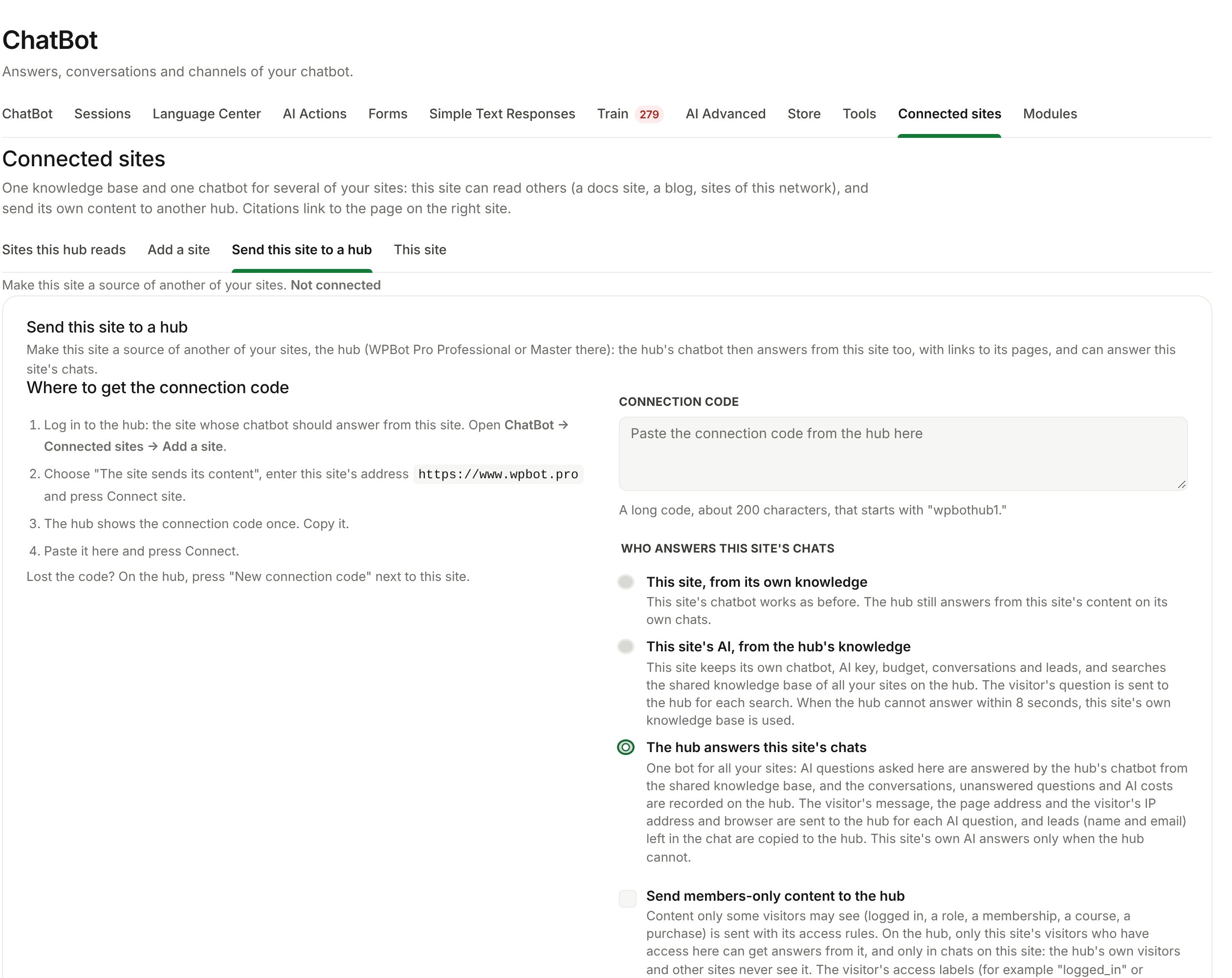
Send this site to a hub: the connection code and who answers this site's chats.
On the source site:
- On the hub, open Add a site, choose The site sends its content, enter this site's address and press Connect site. The hub shows a connection code once. Copy it.
- On this site, open Send this site to a hub, paste the CONNECTION CODE (it starts with
wpbothub1.) and press Connect.
Lost the code? On the hub, press New connection code next to the site.
WHO ANSWERS THIS SITE'S CHATS:
| Option | What happens |
|---|---|
| This site, from its own knowledge | This site's chatbot works as before. The hub still uses this site's content in its own chats. |
| This site's AI, from the hub's knowledge | This site keeps its own chatbot, AI key, budget, conversations and leads, and searches the shared knowledge base on the hub. If the hub does not answer within 8 seconds, this site's own knowledge base is used. |
| The hub answers this site's chats | One bot for all your sites: the hub answers, and conversations, unanswered questions and AI costs are recorded on the hub. The visitor's message, page address, IP address and browser are sent to the hub for each AI question, and leads are copied to the hub. |
Send members-only content to the hub sends content only some visitors may see, with its access rules. On the hub, only this site's visitors who have access can get answers from it, and only in chats on this site.
Note
Choosing The hub answers this site's chats sends visitor data to your hub site. Mention it in the privacy policy of every connected site.
This site
Purpose of this site's own content: Support and sales, Support or Sales (not used for chats on support sites). Choose sales or support content by the question lets the AI read each question first, so a pricing question on your docs site can use sales pages. This costs one small AI request per chat message, and only while some content is marked Sales.
Use it for more sales
- Let your docs site sell. Mark your shop as Sales and turn on Choose sales or support content by the question: a pricing question on the docs site is answered with a link to the shop.
- One place to learn. With the hub answering every site's chats, all unanswered questions and conversations are in one Chat Sessions list.
Availability
Connected sites are in Master and Professional. A site that sends its content needs Professional or Master too; a site read through its public REST API needs nothing installed. Not in Starter or WPBot Free.
Was this article helpful?
Sorry about that. Get help another way:











