

Embed the chatbot on another website
The embed code shows your WPBot chatbot on websites where WPBot is not installed: a shop on another platform, a static landing page or a web app. The chatbot keeps running on your WordPress site, with the same knowledge, AI settings and sessions.
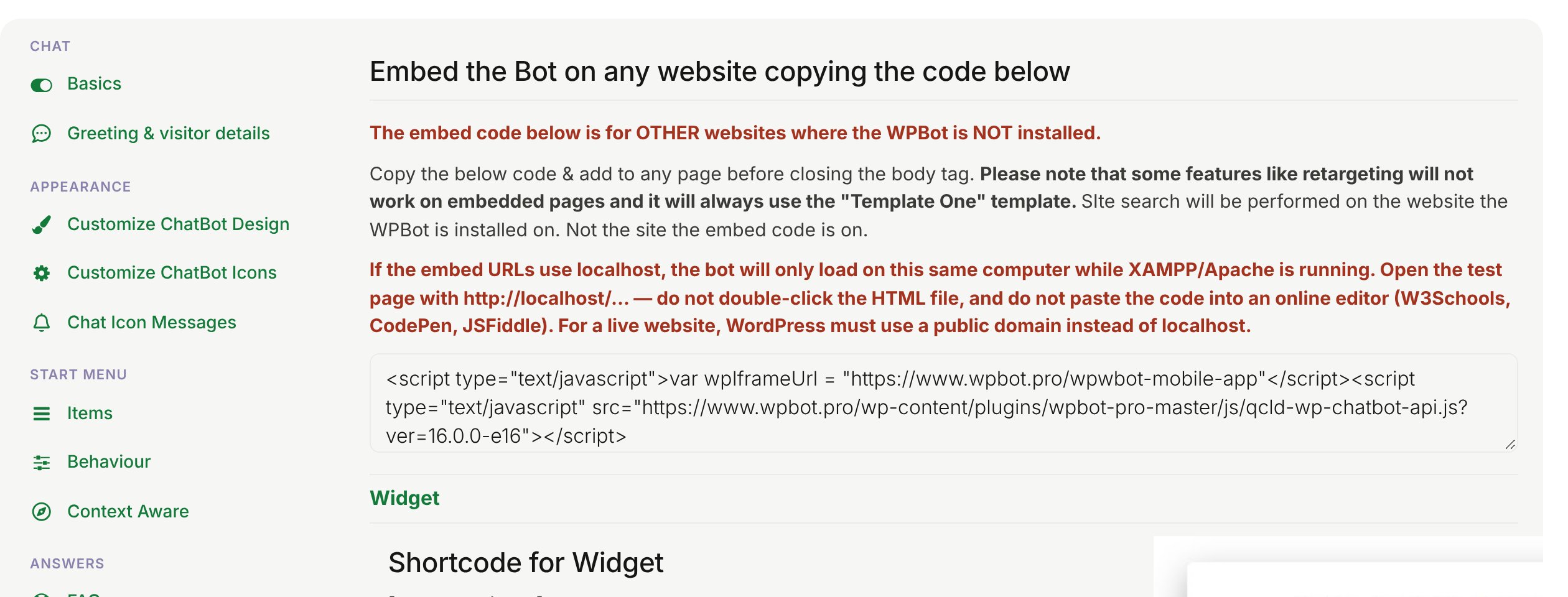
The embed code in Embed & Click to Chat, ready to copy.
Add it
- Open WPBot Pro → ChatBot and choose Embed & Click to Chat.
- Copy the code under Embed the Bot on any website copying the code below. It looks like this, with your own address:
   <script type="text/javascript">var wpIframeUrl = "https://example.com/wpwbot-mobile-app"</script>
<script type="text/javascript" src="https://example.com/wp-content/plugins/wpbot-pro-master/js/qcld-wp-chatbot-api.js?ver=…"></script>- Paste it into the other website's pages, just before the closing
</body>tag.
The code opens your chatbot from the page WPBot created for it ("wpwBot Mobile App", address /wpwbot-mobile-app), in a frame. Do not delete or unpublish that page.
What to know
- Do not add the code to your WordPress site itself. On your own site the chatbot is already there; use the shortcodes instead (Chatbot shortcodes).
- One look: embedded chatbots always use the "Template One" template.
- Some features do not work embedded, such as retargeting (exit intent, scroll and timed messages).
- Site search searches your WordPress site, not the site where the code is.
- Localhost does not work for visitors. If your WordPress address is
localhost, the chatbot loads only on that same computer. Use a site with a public domain.
If the chatbot does not appear
| Symptom | Cause | Fix |
|---|---|---|
| Nothing shows | The code is missing, or the other site's builder removed the script tags | Check the page source for qcld-wp-chatbot-api.js |
| An empty box or a "refused to connect" frame | A security header (X-Frame-Options or Content-Security-Policy: frame-ancestors) set by your server, CDN or a security plugin blocks the frame | WPBot removes WordPress's own frame header for this page; remove the extra header for /wpwbot-mobile-app in your server, CDN or security plugin |
| The chatbot shows an old version | Caching | Clear the cache of your WordPress site and its CDN |
| Works in WordPress, not on the other site | The other site blocks scripts from other domains (its own Content Security Policy) | Allow your WordPress domain in that site's script-src and frame-src |
Updates
The script address carries the WPBot version (?ver=…). After you update WPBot, copy the code again so browsers get the new version.
Availability
In every WPBot Pro edition. WPBot Free does not include the embed code.
Was this article helpful?
Sorry about that. Get help another way:











