

See which posts bring visitors, leads and sales
On this page
Open WPBot Pro → Social → Analytics. Choose the Period (Last 7 days vs the 7 before, Last 30 days vs the 30 before or Last 90 days vs the 90 before) and the Account.
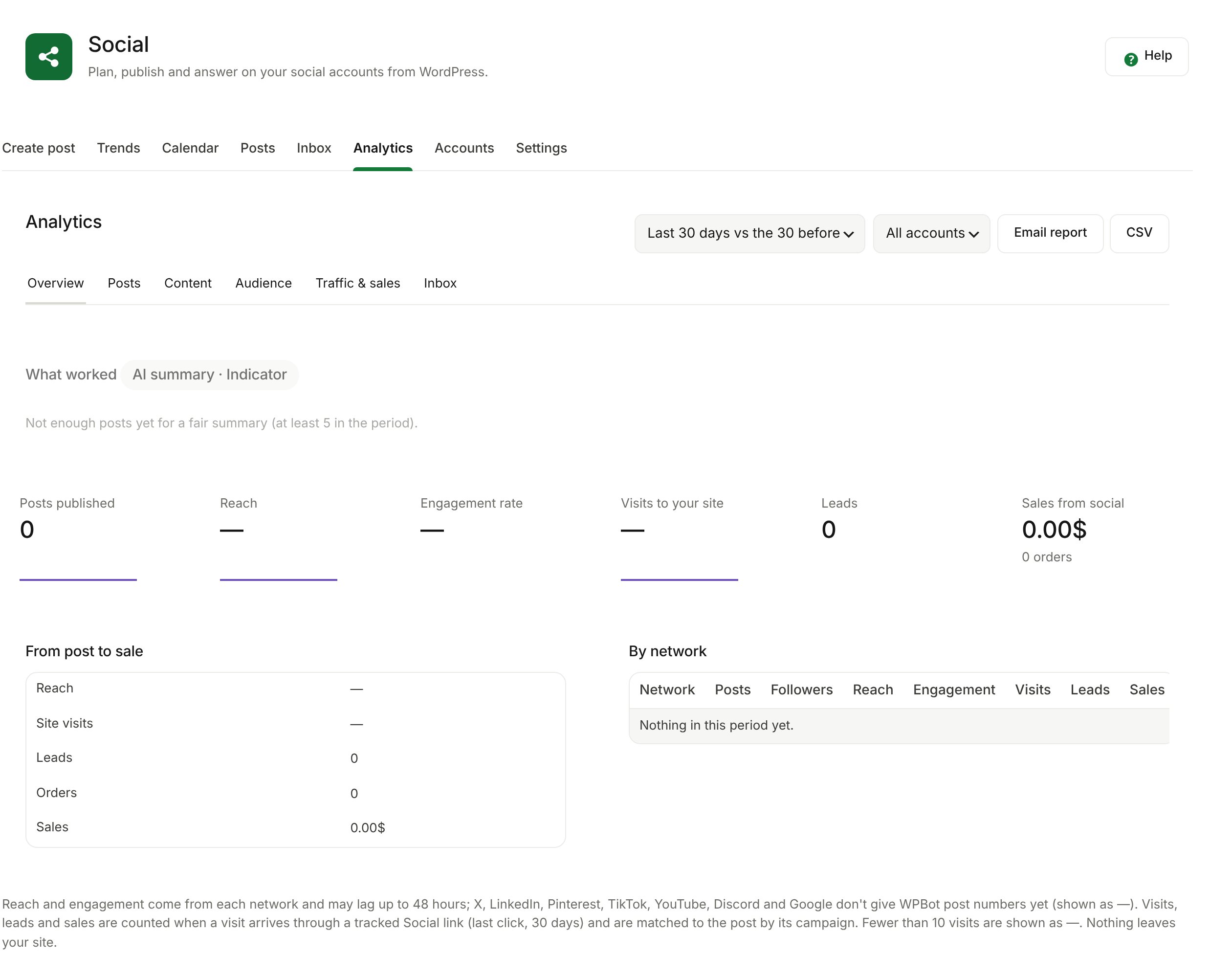
Analytics: from post to sale, by network.
The tabs
| Tab | What it shows |
|---|---|
| Overview | Posts published, Reach, Engagement rate, Visits to your site, Leads, Sales from social, From post to sale and By network |
| Posts | Every post with its type, reach, engagements and rate, and your best post with Repurpose |
| Content | By type, AI-written vs your own, and Best times, with Adjust queue slots |
| Audience | Followers per account and their change |
| Traffic & sales | Landing pages, Campaigns and Recent orders from social |
| Inbox | Comments, messages and reviews, Answered by the bot, First reply (median), Sent to a person, and Questions people asked |
How visits, leads and sales are counted
- Every link to your site in a Social post carries tracking tags (see Tracked links: UTM tags on every link to your site).
- When someone arrives through such a link, a small script counts the visit and remembers the link in a first-party cookie for 30 days. A newer Social link replaces it (last click).
- ChatBot leads and paid WooCommerce orders made in those 30 days are credited to the network, the account and the post's campaign.
Orders keep only their number and total, never customer details, and nothing leaves your site. Fewer than 10 visits are shown as "—".
Note
The cookie is called qcld_wpbot_social_ref. It respects the WP Consent API ("statistics") when your consent plugin uses it. Mention it in your privacy and cookie policy.
Where the numbers come from
- Reach and engagement come from each network and may lag up to 48 hours. They are read every 6 hours for the first 48 hours after a post, then daily, for 90 days, for Facebook, Instagram, Threads, Bluesky and Mastodon.
- X, LinkedIn, Pinterest, TikTok, YouTube, Discord and Google don't give WPBot post numbers yet (shown as "—"). Their visits, leads and sales are still counted.
- Follower counts are read once a day.
- For Facebook and Instagram reach, turn on Read post results when you connect them.
What worked
What worked is an AI summary of the period with up to three next steps. Click Write the summary. It needs at least 5 posts in the period, and is labelled Indicator. Only aggregated numbers and post titles go to your AI provider.
Reports
- Email report: Never, Every week or Every month, to the address you choose.
- CSV downloads the numbers.
Use it to grow
- Judge posts by Traffic & sales, not likes. A post with little reach that brings two orders beats a popular one that brings none.
- Repeat what works: re-share the best post, mark it Evergreen, or turn it into another format.
- Move your queue slots to the Best times.
- Feed the loop: the landing pages that convert tell AI Writer what to write next, and Site Insight shows what those visitors did on the page.
Availability
Master only. In Starter, Professional and WPBot Free, Social still adds tracking tags to your links, so your own analytics tool, for example Google Analytics, can show which posts brought visitors.
Was this article helpful?
Sorry about that. Get help another way:











