

Answer comments and reviews in the Inbox
Open WPBot Pro → Social → Inbox. Comments on posts you published with Social and your Google reviews come in here, each with a reply drafted by the ChatBot.
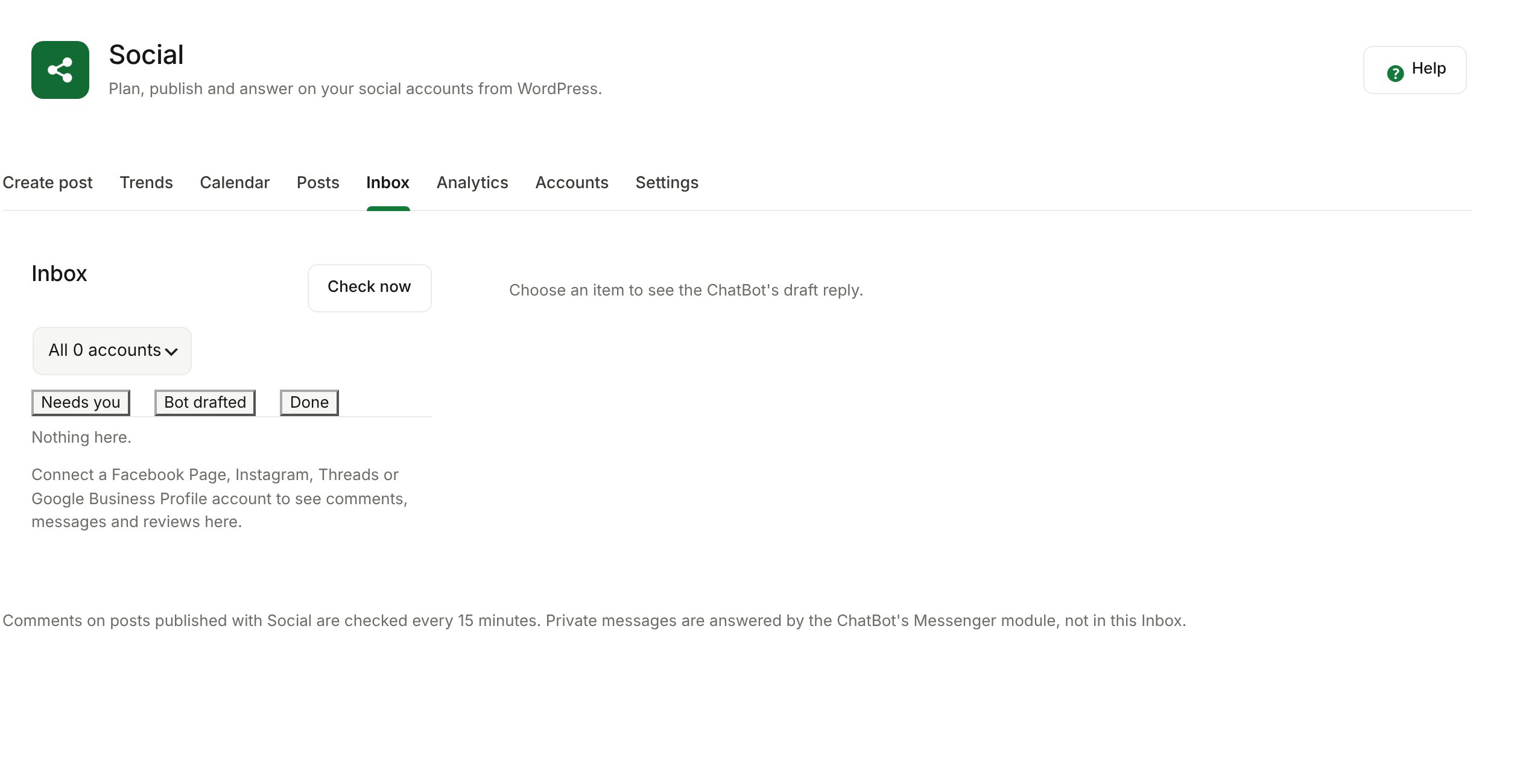
The Inbox: Needs you, Bot drafted and Done.
What comes in
- Comments on posts published with Social on Facebook, Instagram and Threads, checked every 15 minutes for 14 days after each post. Click Check now to check at once.
- Google reviews of your Business Profile locations.
- Private messages (Messenger, Instagram Direct, WhatsApp) are not part of this Inbox: the ChatBot's Messenger module answers them.
Comments on posts you made outside Social are not read.
Work through the Inbox
The tabs are Needs you, Bot drafted and Done; filter by Account. Choose an item to see the ChatBot's draft reply, its confidence (High confidence, Medium confidence or Low confidence) and the sources it used.
| Button | What it does |
|---|---|
| Post reply | Posts the reply on the network |
| Shorter / Friendlier | Rewrites the draft |
| Reply privately instead | Suggests a private reply, for example about an order |
| Insert a saved reply | Adds one of your saved replies |
| Assign to | Gives the item to a team member |
| Discard | Drops the draft |
| Open on the network | Opens the comment or review |
If WPBot cannot tell whether a reply went out, click It went out or It did not go out. Someone with the Publish permission posts the reply.
Warning
Orders, complaints, refunds, reviews of 1 to 3 stars, possible spam and messages that try to give the bot instructions always go to a person and are never posted by themselves. If no sources are found, the draft says No sources found: check the facts before you post.
Inbox settings
Open Settings → Inbox.
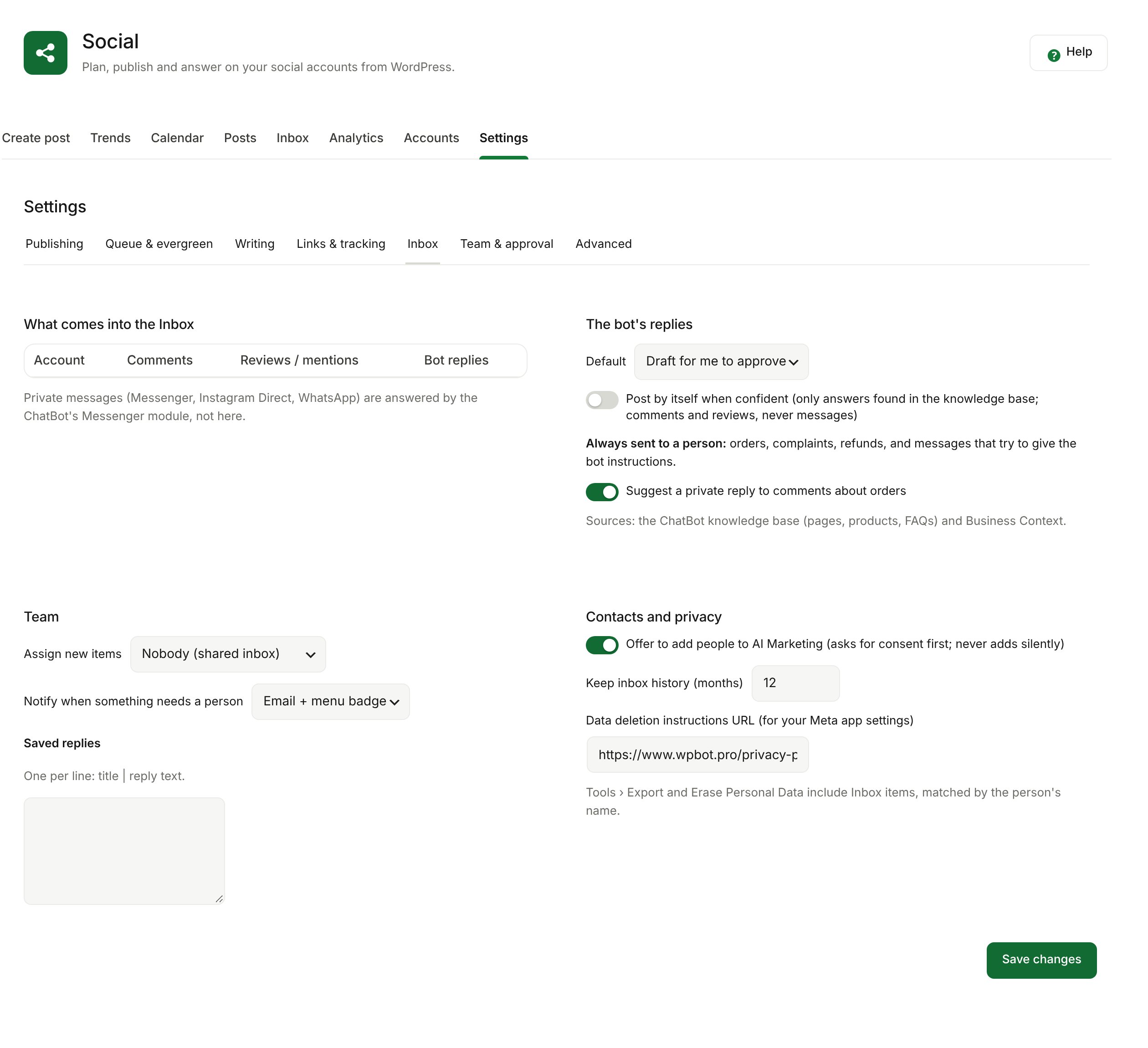
Inbox settings: what comes in, bot replies, team and privacy.
- What comes into the Inbox: per account, whether Comments and Reviews / mentions come in, and the Bot replies mode.
- The bot's replies: Draft for me to approve (default) or Post when confident. Post by itself when confident posts only answers found in the knowledge base, for comments and reviews, never messages. It is off by default.
- Suggest a private reply to comments about orders.
- Team: Assign new items to Nobody (shared inbox) or By brand, then round robin; Notify when something needs a person by Email + menu badge, Menu badge only or Nothing.
- Saved replies: one per line, as
title | reply text. - Contacts and privacy: Offer to add people to AI Marketing asks for consent first and never adds anyone silently. Keep inbox history (months) is 12 by default. The Data deletion instructions URL is for your Meta app settings. Tools → Export and Erase Personal Data include Inbox items, matched by the person's name.
Replies use the ChatBot knowledge base (pages, products, FAQs) and Business Context. A message the ChatBot channel already answered is never answered again.
Tip
Questions people ask under your posts are content ideas. Analytics → Inbox lists them; add good answers to the ChatBot's knowledge base, or write an article about the common ones.
Availability
Master only.
Was this article helpful?
Sorry about that. Get help another way:











