

Turn modules on and off in the Module Manager
On this page
The Module Manager switches the chatbot's optional parts on and off. Keep only what you use switched on: your admin stays tidy and your site loads less code. A module you switch off keeps its settings and data, so you can turn it back on at any time.
Open the Module Manager
Open WPBot Pro → Module Manager, or ChatBot → Modules.
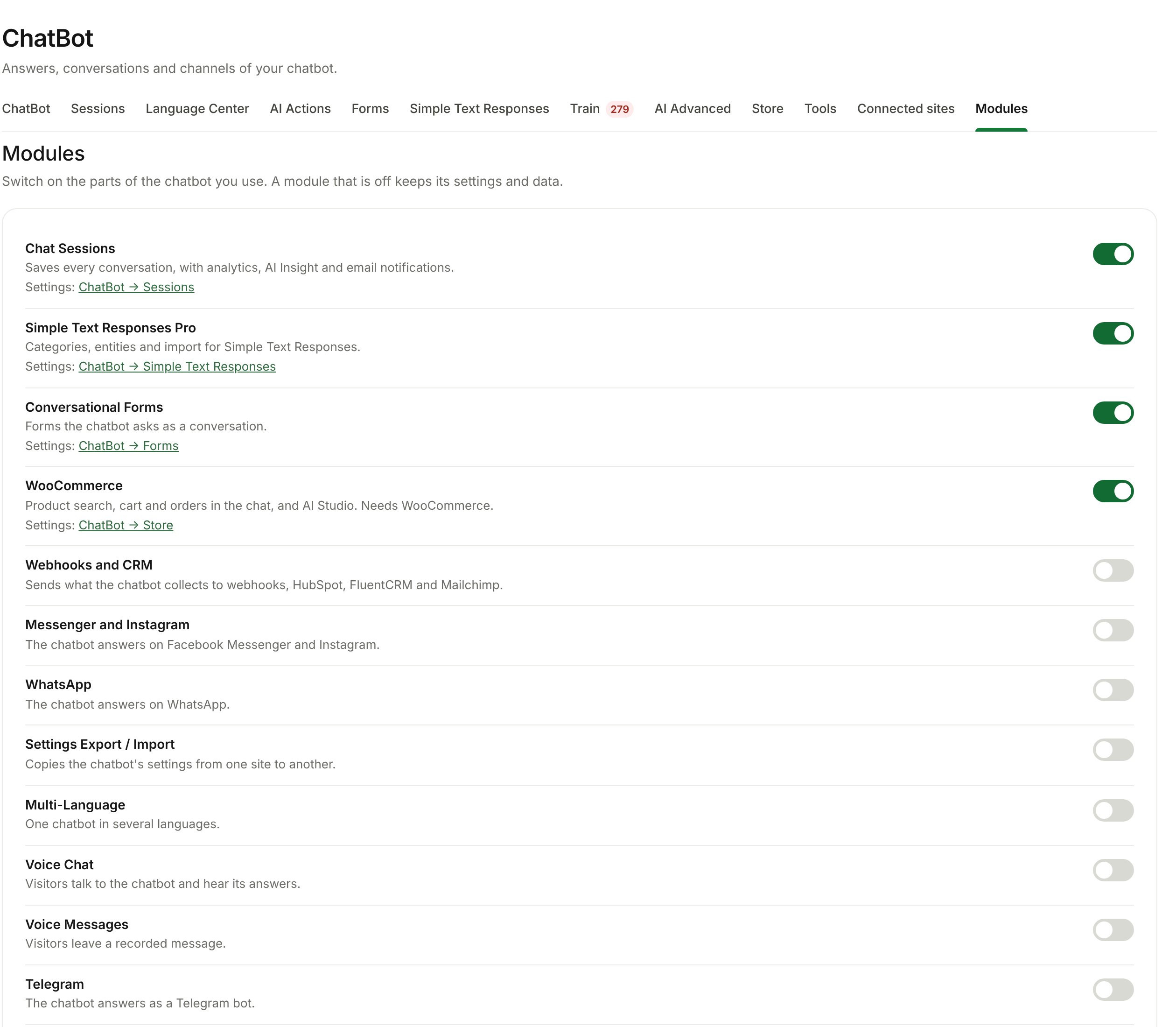
The Module Manager in WPBot Pro Master.
Tick the modules you want, then click Save changes. Reset to defaults goes back to the standard selection.
The modules
| Module | What it does | Settings after you turn it on |
|---|---|---|
| Chat Sessions | Saves every conversation, with analytics, AI Insight and email notifications. | ChatBot → Sessions |
| Simple Text Responses Pro | Categories, entities and import for Simple Text Responses. | ChatBot → Simple Text Responses |
| Conversational Forms | Forms the chatbot asks as a conversation. | ChatBot → Forms |
| WooCommerce | Product search, cart and orders in the chat, and AI Studio. Needs WooCommerce. | ChatBot → Store |
| Webhooks and CRM | Sends what the chatbot collects to webhooks, HubSpot, FluentCRM and Mailchimp. | |
| Messenger and Instagram | The chatbot answers on Facebook Messenger and Instagram. | ChatBot → Channels |
| The chatbot answers on WhatsApp. | ChatBot → Channels | |
| Settings Export / Import | Copies the chatbot's settings from one site to another. | |
| Multi-Language | One chatbot in several languages. | |
| Voice Chat | Visitors talk to the chatbot and hear its answers. | |
| Voice Messages | Visitors leave a recorded message. | |
| Telegram | The chatbot answers as a Telegram bot. | ChatBot → Channels |
| Support Tickets | A help desk: tickets, agents and email notifications. |
Which modules to start with
For more leads and sales, start with:
- Chat Sessions: every conversation, AI Insight's daily digest and the questions visitors could not get answered. It feeds the Growth Loop with real questions.
- Conversational Forms: collect leads, quote requests and bookings in the chat.
- WooCommerce (shops): product finder, cart and order status in the chat.
- Webhooks and CRM: if your leads live in HubSpot, FluentCRM or Mailchimp.
Add channels (Messenger, Instagram, WhatsApp, Telegram) when you want to answer customers where they already are.
The Growth Suite tools are switched elsewhere
AI Writer, SEO & AI Search, Social, AI Marketing and Site Insight have their own menu items and are not in the Module Manager. The Help Center is switched on in AI / Settings → Help Center.
Availability
The Module Manager is in every WPBot Pro edition, with the modules that edition includes:
- Professional: Chat Sessions, Simple Text Responses Pro, Conversational Forms and WooCommerce.
- Starter: Chat Sessions.
- WPBot Free: no Module Manager; Chat Sessions is built in.
Was this article helpful?
Sorry about that. Get help another way:











